ProductNot yet confirmed elsewhere1 publisher3 min readPublished
Amazon's Alexa Tablet 12 Pro with keyboard and pen costs $407 less than an iPad Air with keyboard and pencil
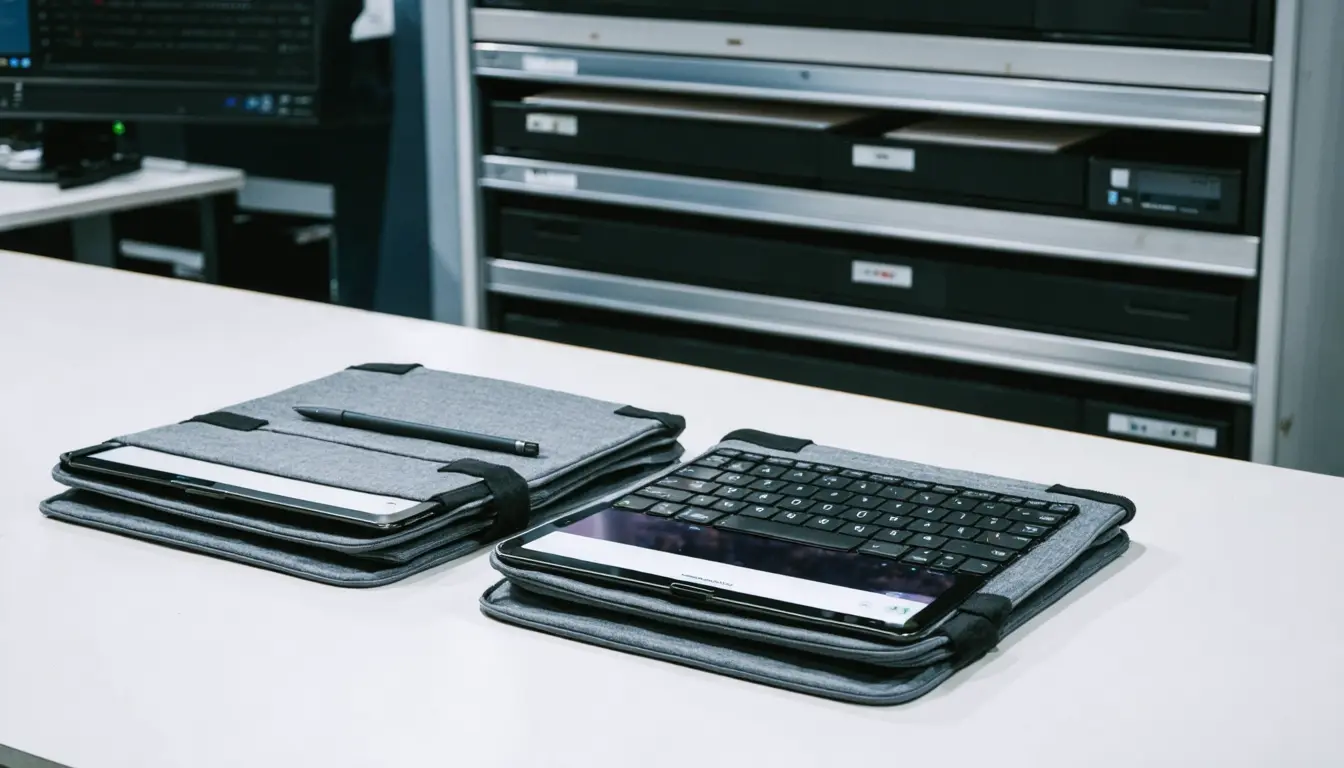
Amazon's Alexa Tablet 12 Pro ships Oct. 14 at $499.99, about $249 below the $749 starting price of Apple's iPad Air M4. With keyboard and stylus the gap grows to about $407, and for a work fleet the choice then turns on apps, cellular needs and assistant controls.
The Product Desk
What happened
- The Alexa Tablet 12 Pro runs Google Play apps in resizable windows, which TechRepublic calls a notable change from Amazon's earlier Fire tablets.
- Amazon's $149.99 Pro Keyboard and $89.99 Pro Pen bring its kit to $739.97, against $1,147 for an 11-inch iPad Air with a $269 Magic Keyboard and $129 Pencil Pro.
- Alexa+ provides voice assistance on the tablet and, with the user's permission, help with on-screen content.
Why it matters
- cost On a 20-person rollout with keyboards and pens, choosing Amazon keeps about $8,140 in the budget before taxes and promotions.
- constraint Field teams that need a built-in data connection have no Amazon model to order, so the saving only reaches roles that work over Wi-Fi.
- exposure Once an employee grants permission, Amazon's assistant works with what is on screen, so teams handling confidential files need a policy on that setting before tablets reach staff.
- decision A bulk order placed now rests on specs and early hands-on reports, because TechRepublic has not tested the two tablets side by side.
The first thing an employee does with a keyboard tablet is type on it. Amazon's 120Hz screen should scroll more smoothly than the iPad Air's 60Hz panel, and an optional Nanomatte finish is meant to cut glare [3]. The Verge praised the screen's readability but found the detachable keyboard cramped, TechRepublic reported [4].
Buying teams tend to tell themselves the processor decides the order. In our view, staff judge a work tablet on whether their required apps run and how they look on video calls. The chip does matter for creative staff. Apple's M4 iPad Air pairs it with 12GB of memory and support for editing and drawing, and it comes in two screen sizes with external-display support [5].
For a team whose required tools exist only on iPadOS, the Amazon saving does not apply. Apple offers iPadOS windowing, Apple Intelligence and Apple Pencil Pro compatibility [8]. According to TechRepublic, its existing creative-app ecosystem may suit professionals already working in Apple workflows [19].
Where the apps do run on Android, Amazon is cheaper at every accessory level. Apple's keyboard and pencil cost $398 together, against $239.98 for Amazon's pair [23]. The complete Amazon kit comes in $9.03 under an 11-inch iPad Air with nothing attached [24]. Choosing the Nanomatte version adds $50 to Amazon's kit [25] and still leaves it $357.03 below Apple's [27]. All of TechRepublic's totals assume base Wi-Fi models and exclude taxes and promotions [14].
Apple's extra cost buys a meeting camera and a cellular option. Its 12MP Center Stage front camera can keep speakers framed during calls [9]. TechRepublic says optional 5G may justify the higher price for field employees, while Amazon's lower price could appeal to teams that work mostly over Wi-Fi [17]. Battery life does not settle it. Amazon claims up to 16 hours of video playback to Apple's 10, but the companies test differently, so the figures cannot rank the two [11].
Before a large order, TechRepublic tells IT teams to check that their apps are compatible and that the tablet supports device management, and to look at security updates and the controls on the AI's access to the screen [16]. It also says independent performance and battery tests should inform larger purchases [18].
The choice sorts into a two-by-two by role. One axis is whether the person works away from Wi-Fi. The other is whether their required tools run on Android or exist only in Apple's ecosystem. Office roles on Android-ready apps belong in Amazon's box, once IT has settled the Alexa+ screen permission and confirmed device management. Office roles on Apple-only creative tools go to the iPad Air at either price. Both field boxes point to the 5G iPad Air, because Amazon lists no cellular model [10].
What to watch
- Independent performance and battery tests after the Oct. 14 ship date; TechRepublic says these should inform any larger purchase.
- Amazon's stated device management support and security update commitments for the Alexa Tablet 12 Pro, two of the items TechRepublic tells IT teams to verify.
- A cellular version of the Alexa Tablet 12 Pro would put the cheaper tablet into the field-staff half of the grid.
Clarity's read
What the record supports and how the coverage leans. The claims behind it follow.
Reality
- Evidence45
- Adoption
- Insufficient
- Hype gap+5
- Incentives
- Insufficient
- Confidence55
Claim ledger
Ranked by verification strength, evidence, and original report placement.
- [1]
Amazon's Alexa Tablet 12 Pro is a $499.99 Android tablet that starts shipping Oct. 14.
- [2]
Apple's M4-powered iPad Air now starts at $749 for the 11-inch version.
- [3]
Amazon's 120Hz display should make scrolling smoother than Apple's 60Hz panel, while its optional Nanomatte finish targets glare.
- [4]
The Verge praised the Alexa Tablet 12 Pro screen's readability but found the detachable keyboard cramped.
- [5]
Apple's M4-powered iPad Air combines 12GB of memory with support for creative tasks such as editing and drawing; its two screen sizes and external-display support give buyers more setup flexibility.
- [6]
The Alexa Tablet 12 Pro offers Google Play, a notable change from Amazon's earlier Fire tablets, and supports resizable app windows.
- [7]
Alexa+ provides voice assistance and, with permission, help with on-screen content; businesses handling confidential information should review these screen-access controls.
- [8]
Apple offers iPadOS windowing, Apple Intelligence, and compatibility with Apple Pencil Pro.
- [9]
Apple's 12MP Center Stage front camera can keep speakers framed during meetings.
- [10]
Apple's optional 5G iPad Air model works away from Wi-Fi, while Amazon offers Wi-Fi 6E without a listed cellular model.
- [11]
Amazon claims up to 16 hours of video playback versus Apple's 10 hours; different testing conditions make those figures unsuitable for a direct battery-life ranking.
- [12]
Amazon's tablet with its $149.99 Pro Keyboard and $89.99 Pro Pen totals $739.97.
- [13]
An 11-inch iPad Air with a $269 Magic Keyboard and a $129 Pencil Pro reaches $1,147.
- [14]
Both bundle totals use base Wi-Fi tablets with the listed keyboard and stylus, excluding taxes and promotions.
- [15]
TechRepublic compared current US list prices, official specifications and published early hands-on reporting, and has not tested the tablets side by side.
- [16]
IT teams should verify application compatibility, device management support, security updates, and AI screen-access controls before buying in quantity.
- [17]
Apple's optional 5G may justify the extra cost for field employees, while Amazon's lower price could appeal to teams working primarily over Wi-Fi.
- [18]
With the Alexa Tablet 12 Pro shipping Oct. 14, independent performance and battery tests should also inform larger purchases.
- [19]
Apple's existing creative-app ecosystem may suit professionals already using Apple workflows.
- [20]
Amazon's Nanomatte model with both the Pro Keyboard and Pro Pen starts at $789.97.
- [21]
The base iPad Air M4 costs $249.01 more than the Alexa Tablet 12 Pro at list price.
- [22]
With keyboard and stylus, the iPad Air bundle costs $407.03 more than the Amazon bundle.
- [23]
Apple's Magic Keyboard and Pencil Pro total $398; Amazon's Pro Keyboard and Pro Pen total $239.98.
- [24]
Amazon's full keyboard-and-pen kit costs $9.03 less than a base 11-inch iPad Air alone.
- [25]
The Nanomatte version adds $50 to the Amazon keyboard-and-pen kit.
- [26]
On an illustrative order of 20 keyboard-and-stylus kits, the Amazon setup costs $8,140.60 less than the iPad Air setup, before taxes and promotions.
- [27]
The Nanomatte Amazon kit is $357.03 cheaper than the equipped iPad Air kit.
Sources
1 independent publisher whose own reporting we read for this story.
- techrepublic.comAmazon Alexa Tablet 12 Pro vs. iPad Air M4: Which Should You Buy?
1 article · October 9, 2026
Topics and entities
Follow any of these and your For You feed starts watching them — no settings page required.