ProductNot yet confirmed elsewhere1 publisher2 min readPublished
GoPro firmware lets its Mission 1 Pro cameras shoot first and process later
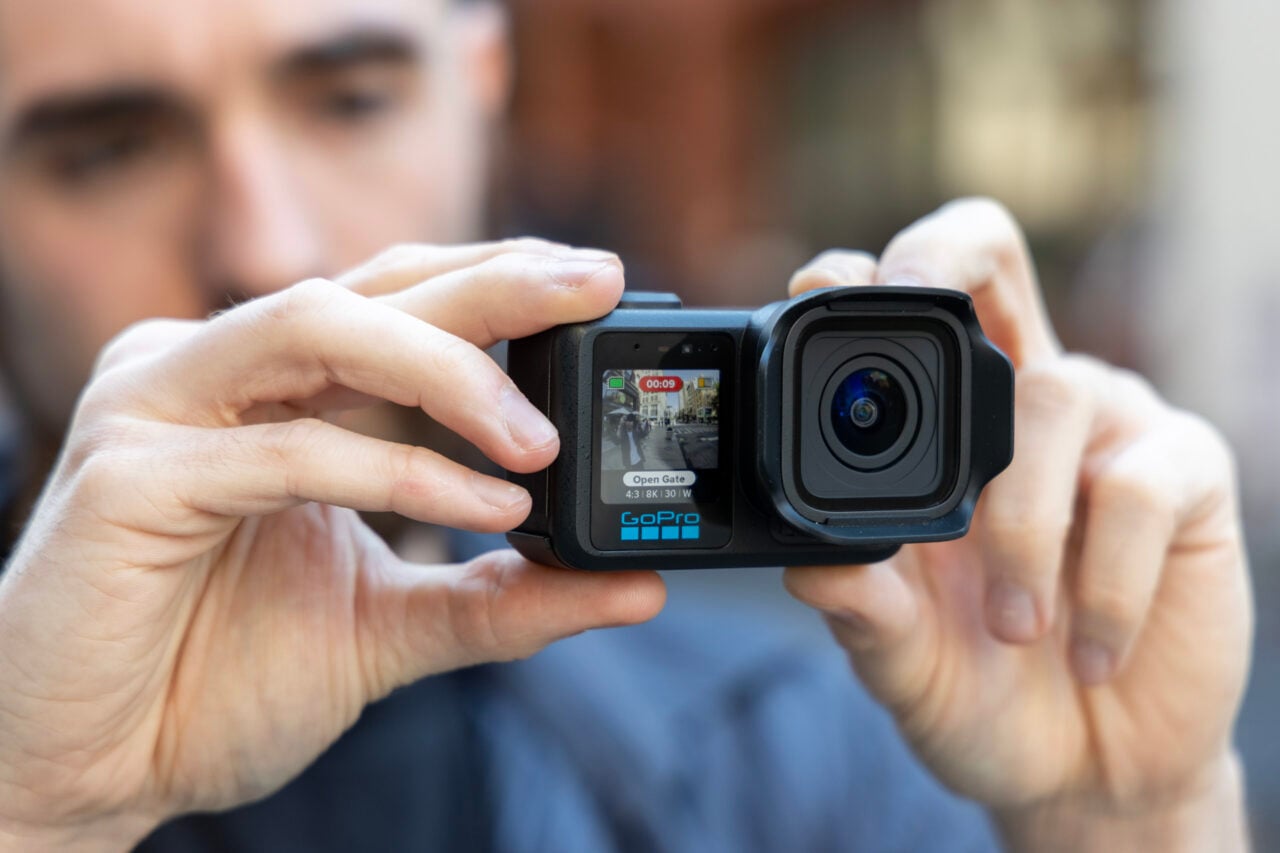
GoPro's firmware update lets the Mission 1 Pro cameras queue photos, where each 50-megapixel RAW had taken nearly four seconds to process, Gizmodo reports. Its review treats the speed problem as fixed and the everything-camera question as open.
The Product Desk
Comparison of held-shutter burst limits: up to 50 photos at 12-megapixel size, and up to 20 photos at 50-megapixel size in RAW format.
Photos per held-shutter burst, by size and format setting In photos, up to
| Item | Value | Claim |
|---|---|---|
| 12-megapixel size | 50 photos, up to | 3 |
| 50-megapixel size, RAW format | 20 photos, up to | 3 |
What happened
- The update changes the shutter: a press takes the photo at once and adds it to a queue, and the camera processes the queue only after the user stops shooting for a few seconds.
- Holding the shutter now fires a burst of up to 50 photos at 12 megapixels, or 20 shots at 50-megapixel RAW.
- The base Mission 1 Pro still defaults to a wide-angle lens, which limits its RAW photos to a fisheye look.
- The ILS takes micro four-thirds lenses but supports none with an electronic connection, so there is no autofocus and the user enters focal length by hand.
Why it matters
- capability The ILS gains a job as a backup small-body camera, though the reviewer says the update does not change what the camera is best for filming.
- cost Testing both bodies to see which fits a stills user means two purchases at roughly $700 each, about $1,400 in all.
- constraint Stills work stays menu-driven: focal length is changed through a drop-down menu, and no accessory adds physical ISO, shutter or aperture controls.
The queue moves the processing to the end of the burst. The camera takes each shot at once and works through the line only after the shooter stops for a few seconds [2]. The longest 50-megapixel RAW burst is 20 shots [3]. At the old figure of nearly four seconds a frame [1], that is just under 80 seconds of processing waiting behind the burst [19]. Gizmodo's review does not report a new per-frame time, so 80 seconds is a ceiling taken from the old number.
Gizmodo says GoPro seems to imply its cameras can be "everything" cameras [12]. A burst leaves a batch to review afterward. The reviewer, who said they tried both new modes [16], writes that you cannot look at each photo to fix problems between shots, and that checking means sliding up from the bottom of the 2-inch OLED screen [4].
For the base model, the stills use the reviewer sees is JPGs in linear mode, as an alternative to a phone camera [13]. The reviewer writes that any dedicated photographer would rather capture RAW, and that this is why the ILS may be a better bet [14].
Gizmodo's reviewer calls GoPro's most expensive cameras the most capable these rugged shooters have ever been [15]. The same review says the result is still not the pocketable camera experience the reviewer wants, not with a Ricoh GRIIIx already in the bag [11].
We'd sort each prospective user on two points: whether they need RAW, and whether they must check a frame before taking the next. A user who is content with linear-mode JPGs and can wait until the burst ends is the base model's customer. A user who needs RAW and can also wait is the ILS's. A user who needs to verify frames mid-burst should keep the stills camera they have, since the review describes checking as a swipe up the screen after the shot [4].
We'd trial the ILS only with the second group. The tradeoff is manual focal-length entry and no autofocus on any lens [7], plus about $1,400 if you buy the base model as well for comparison [18].
What to watch
- Whether GoPro publishes a per-frame processing time or a buffer figure, so the 80-second ceiling can be replaced with a measurement.
- Whether GoPro brings the photo software to cheaper cameras, which the reviewer hopes for.
- Whether GoPro adds electronic-contact lens support or physical-control accessories, the two gaps the reviewer cites.
Clarity's read
What the record supports and how the coverage leans. The claims behind it follow.
Reality
- Evidence45
- Adoption
- Insufficient
- Hype gap+15
- Incentives
- Insufficient
- Confidence55
Claim ledger
Ranked by verification strength, evidence, and original report placement.
- [1]
Both the GoPro Mission 1 Pro and the Mission 1 Pro ILS suffered from low speeds when processing photos; a single 50-megapixel RAW image could take nearly four seconds to process between shots.
- [2]
In GoPro's latest firmware update, pressing the shutter button takes an instant photo and loads it into a queue; the user can take as many photos as they want, and only when they stop for a few seconds does the camera process all the shots.
- [3]
Holding the shutter button now takes a stream of photos in one go, up to 50 photos at 12-megapixel size and 20 shots at 50-megapixel in RAW format.
- [4]
The reviewer says the burst style means you cannot immediately look at each photo to fix problems between shots, and you still have to slide up from the bottom of the Mission 1 Pro's 2-inch OLED screen to tell if you got the shot you wanted.
- [5]
The base Mission 1 Pro still uses a wide-angle lens as the default, which restricts the camera to a fish-eye effect when taking pictures in RAW format.
- [6]
GoPro's Mission 1 Pro action camera costs $700, and the Mission 1 Pro ILS, which takes swappable micro four-thirds lenses, is similarly priced.
- [7]
The Mission 1 Pro ILS does not support any lenses with an electronic camera connection, so no lens can use dedicated autofocus, and the user has to manually input the focal length into the camera each time a new lens is fitted.
- [8]
For the ILS, the reviewer says the updates do not improve the scenarios the camera is best for taking footage, but the ability to take multiple shots in rapid succession means it can act as a backup, small-body camera; the reviewer is not nearly as annoyed by manual-only focus when taking stills as when shooting video.
- [9]
The reviewer says that having to go into the drop-down settings menu to change focal lengths is just too damn annoying, even when not using a prime lens.
- [10]
The cameras still do not have any accessories that enable physical controls for ISO, shutter speed, or aperture.
- [11]
The reviewer says the Mission 1 Pro is still not quite the pocketable camera experience they want, especially with their Ricoh GRIIIx sitting in their bag.
- [12]
Gizmodo asks whether GoPros can really be the 'everything' cameras the company seems to imply they can be.
- [13]
On the base Mission 1 Pro, users can instead snap JPGs in a linear mode, which the reviewer says may be a useful alternative to a phone's camera.
- [14]
The reviewer writes that any dedicated photographer would rather capture RAW, and that this is why the ILS may be a better bet.
- [15]
The reviewer says GoPro's most expensive cameras are now the most capable these rugged shooters have ever been.
- [16]
The reviewer says they have tried both the queued single-shot capture and the held-shutter burst capability.
- [17]
The reviewer says they can hope the update's ideas transfer into less-expensive GoPro cameras in the future.
- [18]
Buying both the base Mission 1 Pro and the ILS costs about $1,400, treating the ILS as priced at roughly $700.
- [19]
A 20-shot 50-megapixel RAW burst at the old figure of nearly four seconds per frame comes to just under 80 seconds of processing, if the per-frame time is unchanged.
Sources
1 independent publisher whose own reporting we read for this story.
- gizmodo.comGoPro Fixed the One Big Problem With Its Mission 1 Pro Cameras—But Is It Enough?
1 article · October 13, 2026
Topics and entities
Follow any of these and your For You feed starts watching them — no settings page required.