BuildNot yet confirmed elsewhere1 publisher3 min readPublished
TP-Link's $399 Costco mesh is cheap per node, and the rest of the bill is unpriced
The Deco 7 Pro BE13000 works out to $133 a node, but Tom's Hardware flags subscriptions for features rivals ship free, and the review never says what they cost.
The Engineer · Build desk
What happened
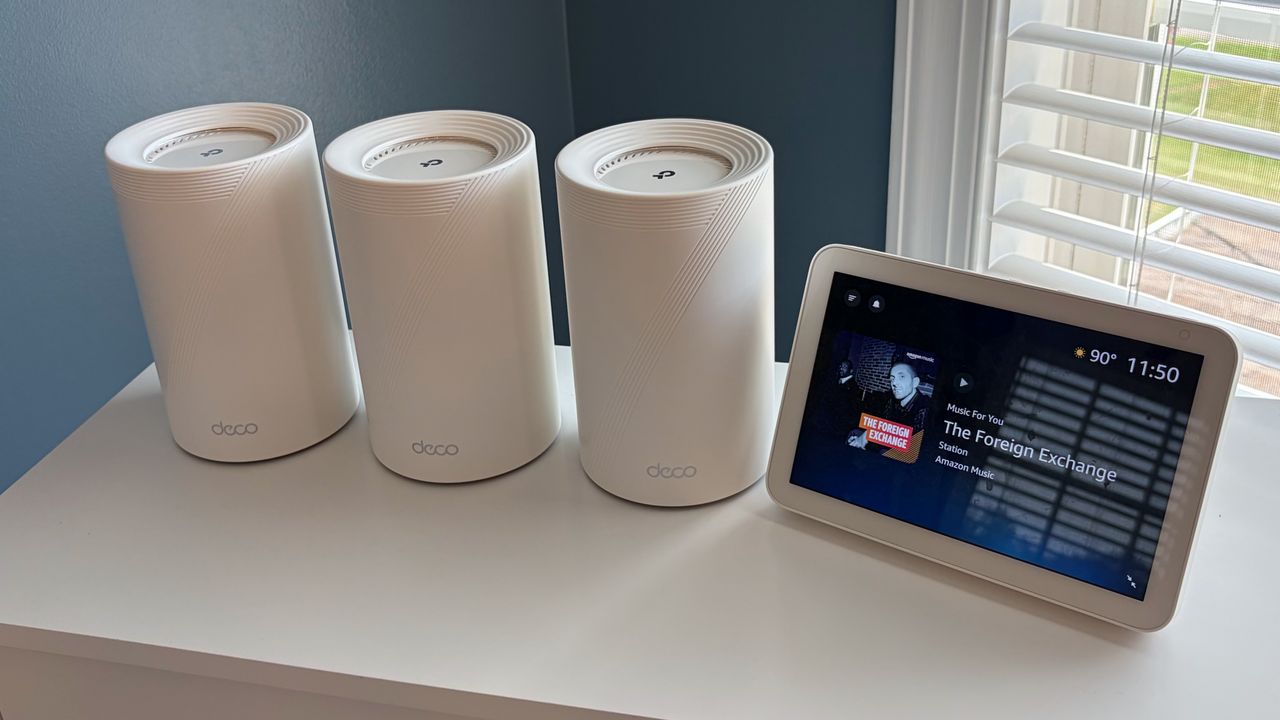
- TP-Link's Deco 7 Pro BE13000 tri-band Wi-Fi 7 mesh sells only at Costco, as a three-pack at $399, rated for up to 8,100 square feet.
- Tom's Hardware measured class-leading 6 GHz throughput, including under load, with 5 GHz and 2.4 GHz slightly behind rival systems.
- The review's headline complaint is that subscription services are required for features other routers provide free.
Why it matters
- cost A site budget cannot be closed from this review: the per-node hardware figure is firm and the recurring software figure is absent, so the only number a buyer can quote upward is the smaller half.
- constraint App-only administration rules out laptop configuration and scripted or documented setup by a technician who does not sign a phone into the vendor's cloud.
- decision Anyone specifying this has to plan a switch behind the node where the wired gear sits, which quietly moves cost and a failure point out of the mesh budget.
- exposure Off-site management rides on a TP-Link account, so vendor account health becomes part of the dependency chain for reaching a remote site.
Do the three-pack arithmetic on paper first. $399 for three identical nodes is $133 each [16], which is why this lands in front of anyone kitting out a small office, a clinic, or a short-term rental rather than a single house. Then read the port list. Each node carries one GbE, one 2.5 GbE and one 5 GbE LAN/WAN port, plus a USB 3.0 socket, and the allotment is the same on all three [1]. That is nine wired ports across the kit, three of which will never pass more than a gigabit [11]. Put the fiber handoff into the head node and two LAN ports remain there [13], one of them the slow one. TP-Link's own Deco BE63, which the review places slightly lower in the lineup, gives four 2.5 GbE ports per node [12]. The reviewer would have taken two 2.5 GbE and two 5 GbE instead [15]. What shipped is a port map that puts a switch in the closet at whichever node your wired gear sits behind.
The recurring cost is the part a spec sheet cannot close. Tom's Hardware's verdict says the unit performs well against its rivals but that buyers should be prepared to pay more to enable features some routers provide for free [3], and it lists the subscription requirement as an outright con [4]. The review text supplied here does not state what those subscriptions cost or enumerate every feature they gate [9]. So the honest read is that the hardware line item is known and the software line item is not, and for a multi-site operator the second one repeats annually while the first does not.
Some segmentation is clearly on the free side of the line. Setup creates a single SSID spanning 2.4, 5 and 6 GHz, and MLO, guest and IoT networks are available with per-band controls, including the choice of whether guests reach 6 GHz at all [8]. What sits above that boundary is exactly what the review flags and does not itemize [4]. Meanwhile the box has no browser interface at all: configuration happens only through the Deco phone app on iOS or Android [6], and a TP-Link account is a prerequisite, which is also what enables management from off site [7]. Setup itself took under five minutes, with a firmware update pushed across all three nodes immediately afterwards [14].
The performance result cuts against the deployment case in a quieter way. The 6 GHz radio is class-leading, including under load, while 5 GHz and 2.4 GHz trail its peers slightly [5][10]. At a small site the printers, badge readers and older laptops are not on 6 GHz. The band this kit wins is the one the fewest devices in the room can actually use, and the bands carrying the existing fleet are the ones where it gives ground.
What to watch
- TP-Link publishing per-tier pricing and a feature list for the Deco subscriptions, which is the missing half of the deployment cost.
- Whether the Costco exclusive holds its $399 three-pack price or the pack composition changes at retail.
- A refresh that adds 2.5 GbE in place of the gigabit port, or restores a browser-based admin interface.
Clarity's read
What the record supports and how the coverage leans. The claims behind it follow.
Reality
- Evidence52
- Adoption22
- Hype gap+30
- Incentives
- Insufficient
- Confidence58
Claim ledger
Ranked by verification strength, evidence, and original report placement.
- [1]
Each Deco 7 Pro BE13000 node has three LAN/WAN ports: one GbE, one 2.5 GbE and one 5 GbE, plus a USB 3.0 port for storage, and the port allotment is the same across all three wireless nodes.
- [2]
The TP-Link Deco 7 Pro BE13000 tri-band Wi-Fi 7 mesh system is exclusively available at Costco as a 3-pack with a selling price of $399, rated for coverage up to 8,100 square feet.
ReportedSupportedSource: Tom's Hardware review2 sources— create a free account to open themView cited source - [3]
Tom's Hardware's verdict: the Deco 7 Pro BE13000 performs well against its rivals, but be prepared to pay more to enable features that some routers provide for free.
ReportedSupportedSource: Tom's Hardware verdict2 sources— create a free account to open themView cited source - [4]
The review lists as a con that subscription services are required for features that other routers provide for free.
ReportedSupportedSource: Tom's Hardware review2 sources— create a free account to open themView cited source - [5]
The review credits the unit with class-leading 6 GHz wireless performance, including under load.
ReportedSupportedSource: Tom's Hardware review2 sources— create a free account to open themView cited source - [6]
The Deco 7 Pro BE13000 cannot be configured using a traditional desktop web browser and is controlled exclusively via the TP-Link Deco smartphone app for iOS or Android.
- [7]
Setup requires a TP-Link account, which enables remote management of the network when the user is away from home.
- [8]
A single SSID encompasses the 2.4 GHz, 5 GHz and 6 GHz bands, and MLO, Guest and IoT networks can be enabled with granular per-band controls, including whether guests get 6 GHz access.
- [9]
The review text supplied does not state the price of the required subscription services or enumerate which features they gate.
- [10]
The review finds 5 GHz and 2.4 GHz performance lags slightly behind its peers.
- [11]
The three-pack ships nine wired LAN/WAN ports in total, of which three are limited to gigabit.
- [12]
The Deco BE63, which the review describes as slightly lower-positioned in TP-Link's lineup, features four 2.5 GbE LAN/WAN ports.
- [13]
Once the WAN uplink occupies one port on the gateway node, two wired LAN ports remain at the head end.
- [14]
Setup took under five minutes, after which a firmware update was available and was installed across the three wireless nodes.
- [15]
The reviewer says he would have preferred four LAN/WAN ports, two 2.5 GbE and two 5 GbE, and at minimum wanted the single GbE port replaced with 2.5 GbE.
- [16]
At $399 for a three-pack, the hardware works out to about $133 per node.
Sources
1 independent publisher whose own reporting we read for this story.
Topics and entities
Follow any of these and your For You feed starts watching them — no settings page required.