Product24 publishers3 min readPublished Updated
Amazon moves every new Kindle's power button to the side after years of complaints
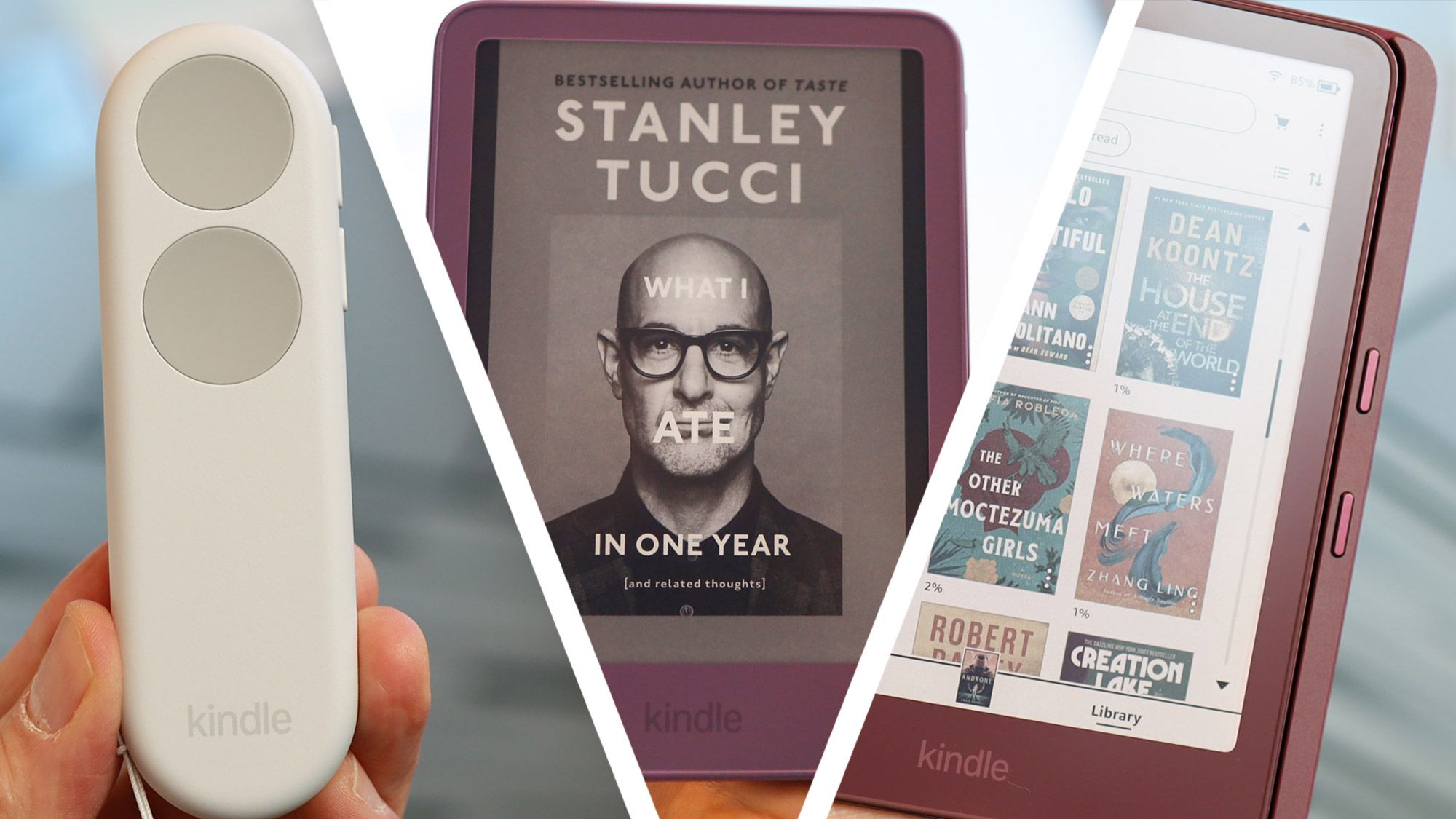
Amazon moved the power button to the right side on all seven 13th-generation Kindles after years of complaints about accidental presses. Display upgrades are scant, so the case for owners of older Kindles rests mostly on the button and the new finishes.
The Product Desk · Product desk
What happened
- Amazon VP of Design Chris Green said the button first went on the bottom edge because it was the cheapest spot, next to the main logic board and the USB port.
- Amazon first tried recessing the button and shifting it slightly, and Green said those fixes failed before the team moved it to the side.
- The base Kindle weighs 140g and is 13% lighter, while the other new models are thinner and lighter by about a millimeter and a gram or two.
- Every model now has a flat glass face with the body color carried onto the bezel, including the entry-level 6-inch Kindle that used to have a raised bezel.
- The Paperwhite Signature Edition and Colorsoft add accelerometers that flip the text when the reader is turned over, and they support landscape reading.
Compiled by The Product DeskSomething wrong?How this is made
Why it matters
- contradiction In 2024 Amazon said the button's position was an engineering requirement, near the light guide. Now it says the position was chosen to save money, which means it was always a trade the team could undo, and it has.
- cost All seven models, the entry-level Kindle included, give up what Green called the lowest-cost button location, so Amazon is paying more on every device to fix one complaint.
- decision Owners weighing a replacement get little from the display, so the choice comes down to how they read: propped up or on a treadmill, where the old button misfired, or held in the hand.
The complaint that finally moved the Kindle power button came from people reading on treadmills. Amazon's VP of Design, Chris Green, told TechRadar that people complained about it "on treadmills, while sitting, and putting it on the tummy," and that "the worst case is a treadmill, because if you don't tap it, you stab it. And so people were stabbing this display, and the button was moving" [7]. TechRadar's reviewer had a milder version of the same problem. On the bottom edge, the button was easy to trip with the Kindle propped on a hard surface or resting on a lap [3].
Amazon's own explanation has changed. In 2024, Kindle hardware lead Kevin Keith told TechRadar the button had to sit as close to the light guide as possible [4]. This year Green put cost first. "We were trying our hardest to have the lowest carbon footprint, the lowest cost price, to push it all to the benefit of the customer," he said [5]. He joined Amazon 19 years ago, on the day the original Kindle launched, and has designed every Amazon hardware product since [6].
So the team saw the bottom-edge button as a saving it was passing on to customers. Customers saw a button they kept pressing by accident. The new button sits on the right side, near the top edge, on all seven models [9][1]. In TechRadar's account, it is the one change tied to a complaint owners actually made.
The rest of the refresh is mostly finish. TechRadar called the display upgrades scant, and the changes you can see are flush glass faces plus, on some models, stamped aluminum unibodies in bright colors [2]. Coloring the bezel took real engineering. Bezels were black because a dark border absorbs front light that would otherwise bounce onto the E Ink screen, and Keith said the fix was first used on Kindle Scribe devices [14].
TechRadar's report does not include sales figures or any Amazon statement on whether it expects owners of older Kindles to upgrade for design changes. The evidence shows a line redesigned around materials and one ergonomic fix. It does not show whether that is enough to move people off a Kindle that still works [1][2].
For anyone deciding whether to replace a working Kindle, I'd sort each change on two tests: whether the owner runs into it every time they read, and whether it fixes something that went wrong for them. The side button passes both. Colored bezels and aluminum pass the first test and fail the second. Rotation and landscape reading fail both for most buyers, since only two models have them [12]. Weight savings are a gram or two on most models, and the base Kindle is the exception [11].
My recommendation follows from that sort. For people who read with the device propped up or while exercising, the button is reason enough to switch. For people who hold the Kindle in their hands, the 13th generation mostly offers a new color, and the trade-off is buying a whole device to get one.
What to watch
- Hands-on reviews reporting whether the right-side button near the top gets pressed by accident when the reader is held one-handed.
- Whether Amazon extends accelerometer rotation and landscape reading beyond the Paperwhite Signature Edition and Colorsoft.
- Any sales or trade-in figures showing whether owners of earlier Kindles upgrade for a refresh built on finish and one button.