Microsoft tests typing 'turn on Bluetooth' into Windows 11 taskbar Search
Microsoft began rolling out settings commands in Windows 11 taskbar Search to Insiders on Oct. 7, 2026, with no general release date. No Intune, Group Policy or auditing controls have been announced, so the feature belongs on a test PC.
The Product Desk
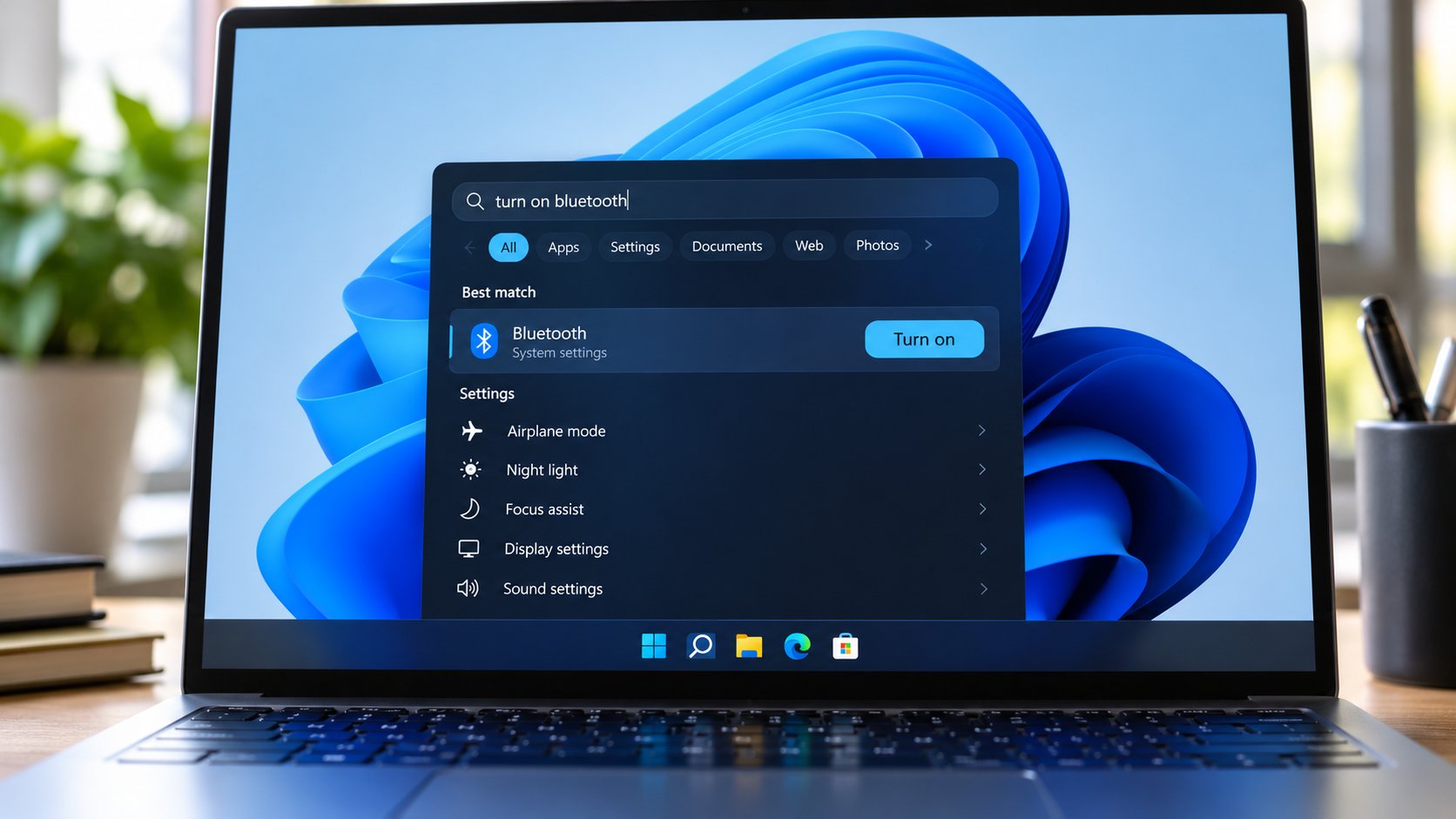
Key figures: Microsoft names seven commands for the redesigned Search, including dark mode, Bluetooth and Night Light. The feature is in Build 26340.9616 on the Experimental channel and Build 28120.3181 on the Experimental (26H1) channel.
| Figure | Value | Note | Claim |
|---|---|---|---|
| Settings and window commands Microsoft names | 7 commands | 15 | |
| Experimental build | 26,340.9616 build number | 6 | |
| Experimental (26H1) build | 28,120.3181 build number | 6 |
What happened
- Access is limited to the Experimental and Experimental (26H1) Insider channels, and English is the only supported language.
- Microsoft names seven commands in all, including dark mode, Bluetooth, screen brightness, mute, window arrangement, Night Light and minimizing windows.
- The feature is in Build 26340.9616 on Experimental and Build 28120.3181 on Experimental (26H1), and a gradual rollout means installing either build does not guarantee access.
- Microsoft rebuilt Windows Search on WinUI 3 and put results in a single list in place of the old layout with a large preview panel.
- The change is separate from the Windows 11 26H2 update, and Microsoft has not said whether it will be included in that release.
Why it matters
- constraint Only Insider machines on Experimental channels can try the feature, so a pilot cannot use ordinary production PCs.
- exposure Settings changed from Search have no announced Intune, Group Policy or auditing control, so a security reviewer has nothing documented to approve.
- decision A 26H2 plan has to leave this feature out of scope until Microsoft says it is included.
- constraint Start menu integration is planned for 2027, so for now the same query can behave differently depending on where a user types it.
Type "dim my screen" into taskbar Search on a PC that has the new experience, and the display dims with no Settings window opening [1][5]. Search from the Start menu on the same PC and the existing interface opens instead [8]. Microsoft plans Start menu integration for 2027, so the split could last a while [8]. We'd expect it to be the first thing a help desk hears about.
Getting the feature is uneven too. Microsoft is rolling it out gradually, and installing a qualifying build does not guarantee access [7]. In our view, two testers on the same build can both report accurately and disagree.
The documented scope is seven commands, on two Experimental channels, in one language [15][3]. According to TechRepublic, which is working from Microsoft's Windows Insider announcement, the shortcuts could reduce repetitive navigation for people who regularly switch between applications or adjust display settings during work [16]. Microsoft says the WinUI 3 rebuild improves performance and memory efficiency, and those gains come from its own internal testing [13]. Both are projections. No usage or time-to-value data has been published.
Today the feature is for Insiders on Experimental builds, and for any IT team that wants an early look. We'd put it on one or two test PCs and leave it out of the rollout plan. TechRepublic gives the same advice: evaluate on test PCs, and wait for Microsoft to document supported controls [11]. The trade-off is that a test PC can show whether commands work consistently and how the interface behaves with existing Windows settings [17]. It cannot show how the eventual enterprise release will be managed, because Microsoft has not said.
Two conditions sort the decision. The first is whether the feature has left the Experimental channels. The second is whether Microsoft has documented controls for it.
- Neither: test PC only, nothing in the plan. - Released, controls undocumented: a small pilot group, after a security reviewer has seen it. - Documented, still Experimental: draft the policy, give it to no users. - Both: put it in the rollout plan, and add a language check for any user who does not work in English.
What to watch
- Whether Microsoft publishes Intune, Group Policy or auditing controls for the inline Search actions.
- Whether Microsoft says the new Search ships in Windows 11 26H2, or gives any general release date.
- The later-2026 additions (richer file previews, web answers, filters) and whether Phone Link quick actions arrive after the initial release.
Clarity's read
What the record supports and how the coverage leans. The claims behind it follow.
Reality
- Evidence50
- Adoption
- Insufficient
- Hype gap−10
- Incentives
- Insufficient
- Confidence55
Claim ledger
Ranked by verification strength, evidence, and original report placement.
- [1]
Microsoft is testing a redesigned Windows 11 Search experience that lets users change settings and manage open windows directly from the taskbar by typing everyday commands such as 'turn on Bluetooth' or 'dim my screen'.
- [2]
The new Search experience began rolling out to Windows Insiders on Oct. 7, 2026.
- [3]
The new Search experience is limited to the Experimental and Experimental (26H1) Insider channels, with English as the only supported language.
- [4]
Regular Windows 11 users will not see the change yet, and Microsoft has not announced a general release date.
- [5]
According to Microsoft's Windows Insider announcement as reported by TechRepublic, example commands include 'switch to dark mode', 'turn on Bluetooth', 'dim my screen', 'mute' and 'arrange windows on screen'; Microsoft also lists commands for turning on Night Light and minimizing open windows.
- [6]
The redesigned Search is available in two Insider builds: Build 26340.9616 on the Experimental channel and Build 28120.3181 on the Experimental (26H1) channel.
- [7]
Microsoft is rolling the feature out gradually, so installing either build does not guarantee immediate access; Insiders may need to enable 'New Windows Search Experience' under Settings > Windows Update > Windows Insider Program > Feature flags if the option is available.
- [8]
The redesigned experience currently works only through taskbar Search; searching from the Start menu still opens the existing interface. Microsoft says Start menu integration is planned for 2027.
- [9]
The changes are separate from the Windows 11 26H2 update, and Microsoft has not said whether the new Search experience will be included in that release.
- [10]
Microsoft has not announced dedicated Intune policies, Group Policy settings, or auditing controls for the new inline actions.
- [11]
TechRepublic says the preview is best evaluated on test PCs rather than deployed across production systems, and that administrators should wait for Microsoft to document the supported controls and rollout requirements.
- [12]
Microsoft rebuilt Windows Search using WinUI 3, bringing results into a single list in place of the previous layout with a large preview panel.
- [13]
Microsoft says the redesign improves performance and memory efficiency, and the gains are based on Microsoft's internal testing.
- [14]
Microsoft has additional Search features planned for later in 2026, including richer file previews, web answers and filters; Phone Link quick actions are also planned but are not part of the initial release.
- [15]
Seven commands are named in total: five example commands plus Night Light and minimizing open windows.
- [16]
TechRepublic writes that for people who regularly switch between applications or adjust display settings during work, the shortcuts could reduce repetitive navigation.
- [17]
TechRepublic says IT teams testing the feature can focus on whether commands work consistently and how the interface behaves with existing Windows settings.
Get this ledger inside ChatGPT. Ask about any of our stories and the answer brings its figure, each claim’s verdict and the sources. Free, no account.
Sources
1 independent publisher whose own reporting we read for this story.
- techrepublic.comWindows 11 Search Adds 5 Quick Actions Without Opening Settings
1 article · October 12, 2026
Topics and entities
Follow any of these and your For You feed starts watching them — no settings page required.