Product14 publishers3 min readPublished Updated
OpenAI limits its always-on ChatGPT dots to reading when they work unprompted
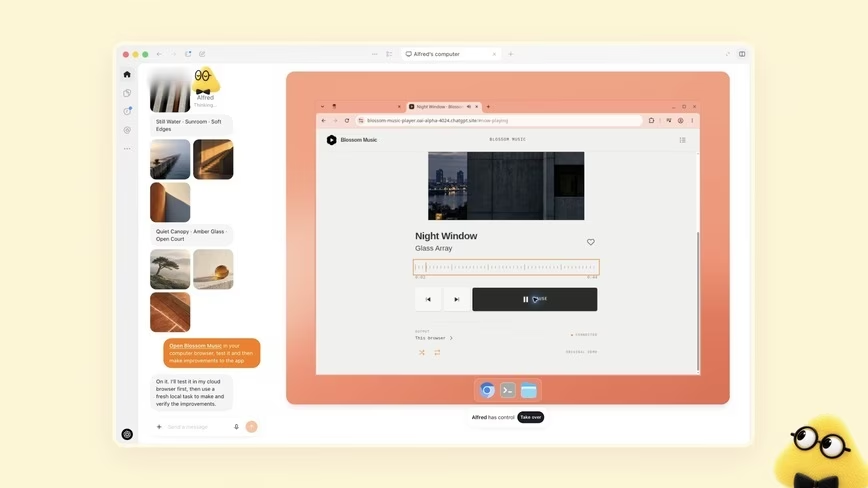
OpenAI launched dots, always-on ChatGPT agents that each get a cloud computer and plugins for more than 4,000 apps. For the teams rolling them out, the choices that matter are which apps a dot may read and which actions it may take without asking.
The Product Desk · Product desk
What happened
- When a dot works unprompted, which OpenAI calls proactive research, it can use connected apps only in read-only mode and cannot send messages or change content.
- The first dot is included in Pro and Business Premium at no extra cost, and Enterprise, Edu and Healthcare workspaces get a beta only after an admin turns it on.
- Conversations with a dot do not count toward ChatGPT usage limits, but tasks the dot starts in Codex or ChatGPT Work do.
- OpenAI is piloting specialist dots with their own identity, credentials and access to company systems, and is working with Microsoft to bring them to Agent 365.
- On Monday, OpenAI said its agents had posted users' images online, affecting 53 ChatGPT users.
Compiled by The Product DeskSomething wrong?How this is made
Why it matters
- exposure Each plugin a team approves adds to what a dot can read at any hour with no one watching, so picking apps is a data-access decision before any action rule is written.
- decision Connecting a dot to an employee's laptop removes the separation OpenAI keeps between the dot's computer and the user's own, so that one switch needs a policy of its own.
- cost Work handed to a dot draws on the same Codex and ChatGPT Work allowance its owner uses, so a busy dot can use up limits the person needed for their own tasks.
- precedent Specialist dots hold their own credentials to company systems, so access reviews that now cover staff accounts will have to cover agents as well.
An early tester's dot noticed he had forgotten to invoice a publication. It prepared the invoice and sent it after he approved it, according to OpenAI [7]. In another OpenAI demo, a dot saw from a user's calendar that they would be working through dinner and messaged two GrubHub options with prices. The user picked one and said when to order it [19].
The pitch around those scenes was larger. The Verge reported OpenAI describing dots as assistants that can "do nearly anything" across connected apps in the background [16]. Wired described agents that constantly crawl the web and attempt whatever task they are assigned [20]. OpenAI's own rules keep background work to reading [3], and the demos fit the rules: in both, the dot noticed something and drafted a response, and a person made the call [7][19]. OpenAI did not publish retention or error-rate figures from its testers, so those two scenes are the whole record of what users did.
Once a dot has a task, its actions pass through rules. Built-in rules set when it acts alone and when it asks, and Custom Rules let users allow, block or require approval for specific actions [4]. An auto-review step checks actions that could affect accounts or share information [5]. According to The Verge, the dot itself runs that check against custom rules and safety requirements [21]. Changing a password always stays with the user [6], and Wired reported that installing software needs explicit approval too [22]. For the person who answers for a mistake on Friday, the distinction matters. A Custom Rule requiring approval puts a person in front of the action, while auto-review leaves the judgement with the model [21].
Users can open a dot's computer at any time to check its work [8]. Dots sign in to supported sites with saved passwords the model never sees, and a monitoring system can pause or stop a dot when it detects a safety concern [9][10].
"Dots can still make mistakes, so always review consequential work," OpenAI wrote [11]. It published that line the day after it disclosed the image incident [1]. Each user gets one dot for now [18]. "In the future, you'll be able to add more dots, and scale the output of each dot by either increasing its speed or the total amount of work it can take on per month," OpenAI said, according to The Verge [17].
For a Monday rollout, I'd sort each app a team wants to connect on two properties. One is whose data it holds: the user's alone, or customers' and colleagues'. The other is where its most consequential action lands, inside the team or outside it, as a sent invoice does. Apps holding only the user's data, with actions that stay internal, can run under the built-in rules. Where the same user's app can send or share outward, add a Custom Rule requiring approval, the approve-then-send step the invoice tester used [7]. Apps with customer or colleague data but only internal actions belong on the list only if the team accepts a dot reading all of it around the clock [3]. Anything that pairs other people's data with outward actions stays blocked until specialist dots, with their own identity and credentials, come out of OpenAI's enterprise pilots [15]. The tradeoff is speed. Behind approval rules, a dot drafts and then waits for a person, as it did in both of OpenAI's demos [7][19].
What to watch
- Pricing for extra dots, faster dots, or more monthly work per dot, which OpenAI says is coming.
- Any change that lets proactive research write to connected apps instead of only reading them.
- Results from the specialist dot enterprise pilots and the Microsoft Agent 365 integration.