Product1 publisher2 min readPublished
Google rebuilt its laptop OS on Android to end the ChromeOS catch-up problem
Google's new Googlebooks run on the Android stack, after a product manager told SlashGear that separate codebases left ChromeOS chasing phone features. ChromeOS stays on for enterprise, education and entry-level buyers.
The Product Desk · Product desk
What happened
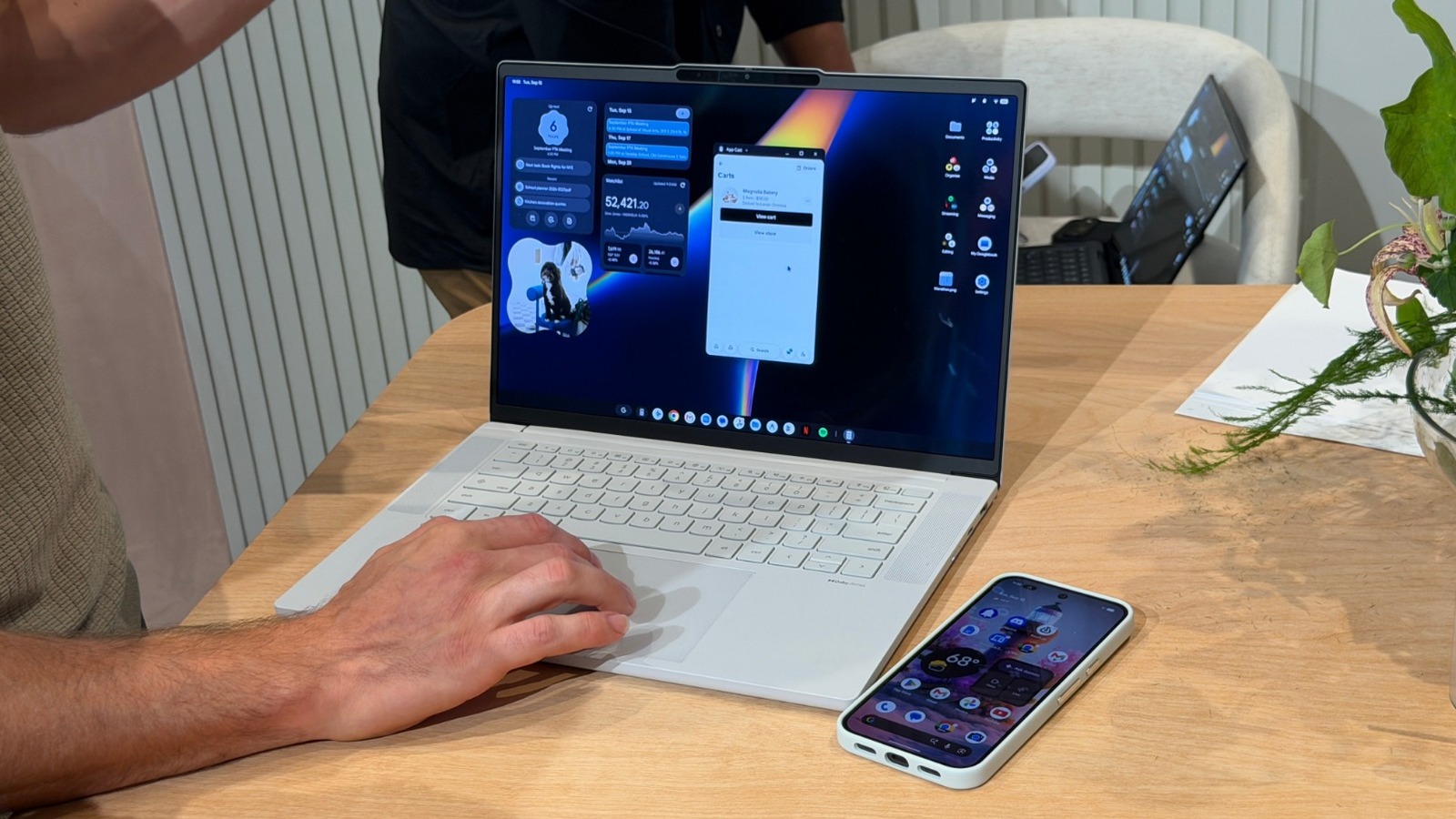
- Google announced Googlebooks, laptops running an operating system called Googlebook OS that is built on Android and designed to integrate tightly with the user's Android phone.
- Google said ChromeOS still has a place in enterprise, education and entry-level, with more than 35 new Chromebook and Chromebook Plus devices launching over the next 12 months.
- Five vendors brought hardware to the briefing, with HP and Dell on Qualcomm Snapdragon processors and Lenovo, Acer and Asus on Intel Core Ultra 3.
- Every Googlebook ships with at least 16GB of high-speed RAM and a battery rated for a minimum of 14 hours of video playback or 16 hours of web browsing.
Compiled by The Product DeskSomething wrong?How this is made
Why it matters
- constraint The phone-continuity work that prompted the rebuild lands on the stack Google is not selling into education and entry-level buying, so the fleets with the tightest budgets stay on the codebase that was behind.
- decision Anyone specifying laptops this year has to decide whether cross-device handoff is worth moving users off ChromeOS, because the two Google stacks are now separate purchases.
- exposure Because linking needs only a shared account and network, a personal phone's files and camera roll become reachable from a work laptop without an explicit pairing consent step.
- contradiction Google's "still all Google" line and its product manager's account of two codebases point different ways on whether a Chromebook buyer should expect Android features to arrive at all.
Sign in to a Googlebook with your Google account, keep the laptop on the same Wi-Fi as the phone, and the link is done, with no QR code and no step where you nominate a device [11]. SlashGear's writer, who handled the machines at Google's briefing, said of the pairing step other computers require: "For me, this is a weekly occurrence that's cumbersome enough that I usually just don't bother." [12]
That is what people do with pairing flows. Teams that build them count setup as a one-time cost, and for many users it genuinely is [11]. For anyone carrying a work phone and a personal one, the Googlebook version of that decision is a dropdown [13].
The reason Google gives for starting on Android is codebase drift. A product manager told SlashGear that building out something like Quick Share left the ChromeOS team continuously playing catch-up with features Android had already introduced, because the two sit on differing codebases [4]. Google's own framing of the split was that it "approached the technical stack differently...but is still all Google" [5].
Divide the ChromeOS commitment by its window and it comes to roughly three announced models a month for a year [20].
Side by side, a Chromebook and a Googlebook look much the same: a desktop with multiple windows and a row of icons along the bottom [9]. What differs is the hardware floor and where new phone features land first. Google requires an RGB glowbar on every Googlebook cover, which lights at power-on and reports battery level, and it has opened the API to developers [15]. Acer's machine was the only convertible with a 360-degree hinge, and the main Asus model weighed around 2.2 pounds [19]. SlashGear's account does not cover device management or pricing.
The useful question for a refresh is whether a user's work crosses the phone and the laptop inside the same hour. If it does, the handoff Google demoed is the thing being bought: a document open on the phone puts a Google Docs icon in the laptop taskbar, and clicking it reopens that document where you left it [16]. Searching the phone's apps, files and camera roll from the laptop belongs in the same column [18]. Mirroring phone apps to the big screen for mouse and keyboard use sits there too [10].
If the work does not cross devices, none of that is worth a platform change, and Google's answer for shared, locked-down and price-led fleets is still ChromeOS [6]. A fleet standardised on iPhones gets messaging and notifications from a Googlebook, and nothing else Google showed [17].
What to watch
- Whether Google publishes a management story for Googlebook OS in Admin console terms that fleet buyers can compare with ChromeOS.
- Whether any of the 35-plus announced Chromebooks pick up the phone continuity features Google demoed on Googlebook OS.
- Whether an entry-level or education Googlebook appears, and at what price floor.