Product1 publisher2 min readPublished
iOS 27 hands the Liquid Glass legibility decision to a slider in each user's Settings
Tinted Mode gave iPhone owners a fixed pair of options for how opaque the interface looks. Engadget reports that iOS 27 swaps those for a continuous slider, and two other settings still change translucency on their own.
The Product Desk · Product desk
What happened
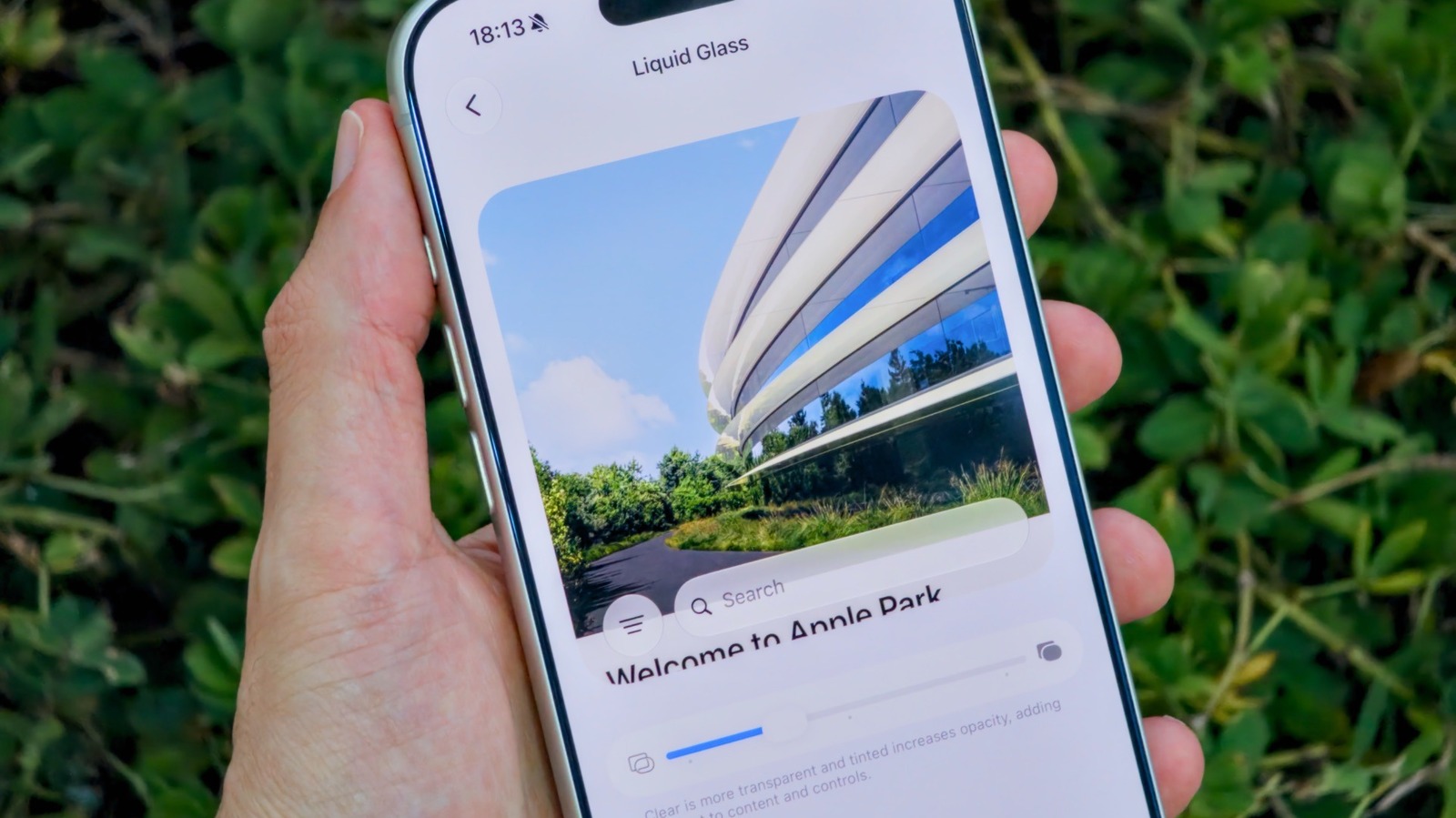
- iOS 27 replaces the old rigid Liquid Glass toggles with a slider, reached through the Liquid Glass menu in the Appearance section of the Settings app, with a preview of the effect on the same screen.
- Dragging the slider left makes the interface glassier and dragging it right restores the more opaque look of earlier iOS versions, with a mix of the two if it is left in the centre.
- Apple's earlier answer to the readability complaints was Tinted Mode in iOS 26.1, which reduced the opacity of Liquid Glass and increased its contrast.
- The control for the intensity of the glass effect on the Lock Screen stays separate from the new slider in Settings.
- iOS 27 went to developers and beta testers first and reached public release in September, and it runs on the iPhone 11 and later.
Compiled by The Product DeskSomething wrong?How this is made
Why it matters
- constraint An app team can no longer test its chrome against one known background treatment, because both ends of the slider are settings users will be running on Monday.
- decision A support agent handling an unreadable-text report has to establish which of three translucency controls the user has touched before trying to reproduce anything.
- capability Users who found one preset too heavy and the other too glassy can now set a value in between and see it previewed without leaving the screen.
- precedent Apple met a design complaint with a user-facing dial. That makes it likelier that the next contested visual default arrives with one attached.
A user sends a screenshot of a toolbar label sitting over a photo, and the label is hard to read. Under the old setup a support agent had two possibilities to check, because there were two named options [16]. The iOS 27 screenshot tells you only that a slider is somewhere between its ends, and how many positions it has isn't in Engadget's walkthrough [12].
Three separate controls in iOS 27 change how translucent the interface looks [11]. Two of them are not even in the same part of Settings: the slider is under Appearance [1], while Reduce Transparency sits in Accessibility under Display & Text Size, where it switches the effect off almost completely and goes further than the slider does [8][14].
The concession here is in the settings screen. Engadget reports that Apple became aware soon after launch that some people were criticizing Liquid Glass for reducing readability, and that complaints continued after Tinted Mode shipped [5]. Engadget describes the new slider as "much-requested" [6]. The article does not include comment from Apple [13].
The preview sits on the same screen as the control, so a user does not have to switch into an app to see what a value looks like [3]. That lowers the cost of dragging the slider to an extreme and leaving it there.
iOS 27 supports the iPhone 11 and newer, so the slider is available on every model that can take the update [9], and the public release went out in September [10].
For anyone shipping text over system glass, the check is the same screen three times: slider hard left, slider hard right, and Reduce Transparency on [17]. All three are configurations real users will be running, and a user who picked one because they could finally read their phone is not going to move it back because your label needs it.
What to watch
- Whether Apple exposes the slider's value to developers so an app can adjust its own contrast to match what the user chose.
- Whether the separate Lock Screen glass intensity control folds into the same slider in a later iOS 27 release.
- Whether legibility bug reports start arriving that only reproduce at one end of the slider.