Product1 publisher3 min readPublished
Apple moves the Cinematic decision from the record button to the edit
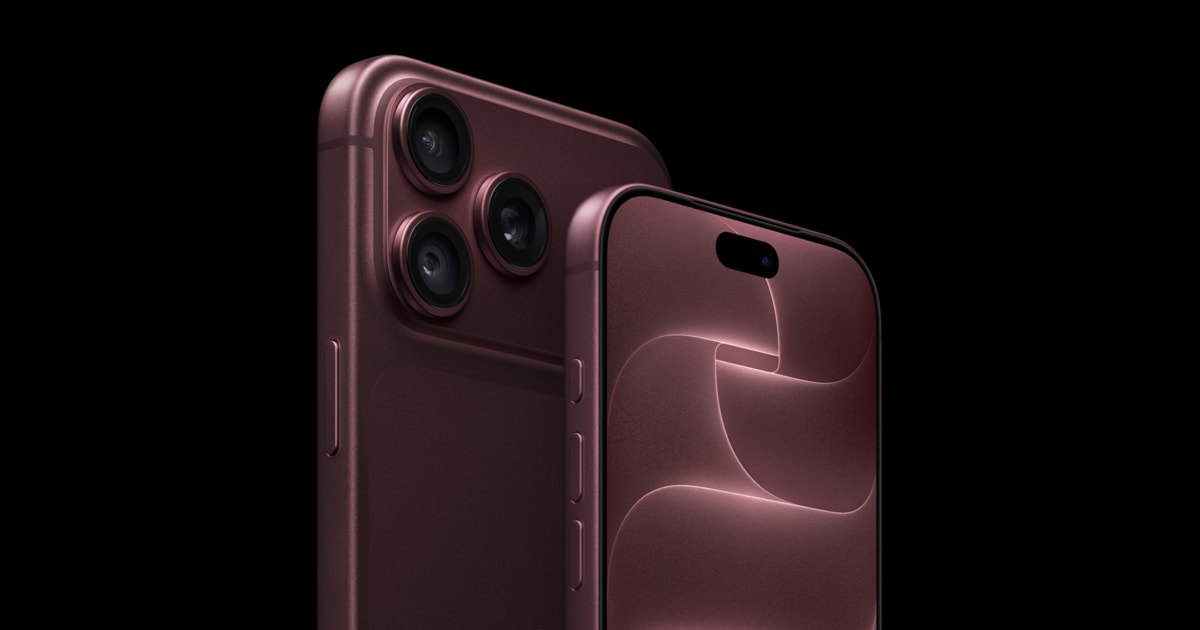
The iPhone 18 Pro can apply the Cinematic look to video that was shot plain, which takes a choice off the shot list, while the aperture Apple sold on stage mostly picks itself unless you go into Pro mode.
The Product Desk · Product desk
What happened
- The iPhone 18 Pro can apply the Cinematic effect to video shot as ordinary video, four years after Apple introduced a mode that required the choice before recording.
- Cinematic capture now runs at 4K up to 60 fps, where earlier versions of the mode were confined to lower resolutions and frame rates.
- The variable aperture offers four settings, f/1.48, f/1.8, f/2.8 and f/4, driven by six laser-cut blades each thinner than a human hair and a custom rotor mechanism.
- Apple is shipping an API that lets third-party apps drive the aperture, putting the control in the hands of camera app developers rather than only Apple's own Camera app.
- New packaging moves memory off the A20 Pro so the chip sits against a vapor chamber with three times the surface area of the iPhone 17 Pro's, which Apple credits with a 40% sustained performance gain.
Compiled by The Product DeskSomething wrong?How this is made
Why it matters
- capability With the depth look applied after capture and a way to see how a photo has been edited, the edit history becomes the artifact a reviewer inspects, which is a different review job than checking a shot log.
- precedent Once Apple hands out an aperture API, a camera app without manual optical control starts to look unfinished, and the work of explaining four stops to users falls on app teams rather than on Apple.
- cost The 15-minute half charge is as much a spec of the charger as the phone, since it needs a 60W USB-C adapter with USB PD 3.1 and AVS, so anyone holding older bricks buys again to see the number.
- contradiction Cult of Mac reads the C2 modem as the start of Qualcomm's exit from Apple's supply chain while also placing a Qualcomm modem inside the Pro Max, so that conclusion cannot be drawn from this account alone.
Apple's phrase is four stops of control, and the four numbers are f/1.48, f/1.8, f/2.8 and f/4 [4]. Those are four settings. The light between the ends works out at 2 x log2(4 / 1.48), or about 2.9 stops, which is another way of saying the wide end takes in roughly 7.3 times as much light as the narrow one [1][2]. That is a real range for a phone lens. Apple is counting settings rather than range, and the difference lands on whoever is setting exposure by hand.
Most people will never set it. The iPhone picks the aperture itself, and the manual choice sits in Pro mode beside shutter speed and ISO [6]. Apple's own guidance is that f/1.8 gives the best balance of depth of field and light sensitivity [8], which is roughly where a fixed lens would have parked you anyway. That leaves two settings with a job: f/1.48 when there is no light, and f/4 when you want the back row of a group photo as sharp as the front [9]. The f/4 setting carries a bill, since it takes in less light and is a poor choice indoors or after dark [10].
Here is what teams tell themselves users do with a new optical control: explore it, learn it, use it deliberately. Here is what users do: shoot on the default and discover later that the wrong face was sharp. Aperture only pays off when someone decides before the shutter, because the blades cannot be moved in the edit.
Which is the sorting rule worth applying to every capture setting in a camera or editing app. Two axes: whether the setting can be changed after the fact, and whether the default is right for the work in front of you.
Reversible with a sound default is where you build nothing and train nobody. Reversible with a wrong default belongs in the review step rather than the shot list, and the depth-of-field look now sits in that box for anyone who wants it on everything [1]. Irreversible with a sound default gets logged and left alone. Irreversible with a wrong default is the only box that earns UI space and training time, and aperture arrived in it for one narrow category of shot: the group photo, and anything with detail at two distances.
For an app team the sorting has a price attached. A camera app that puts all four stops in the main viewfinder is teaching four decisions when Apple has already made three of them for the common case. A thriftier read of the same API is one control that maps to f/1.48 and f/4 and stays out of the way in between.
The checklist for a shoot loses a line this year and gains one. The line it gains is the aperture, and it has to be read before the shutter, which is the only part of this anyone needs training for.
What to watch
- Whether third-party camera apps ship a four-stop selector or a single depth control once Apple's aperture API is available.
- Whether teardowns settle which modem is inside the iPhone 18 Pro Max, since Cult of Mac's own account places both the C2 and a Qualcomm part in it.
- Whether 4K60 Cinematic capture holds its frame rate in long takes, given the 40% sustained performance claim rests on the new vapor chamber.