Product1 distinct publisher3 min readPublished
The ProDesigner PE320QXT makes a Mac respond to touch, which is the hard part vendors usually skip. It also weighs 22 pounds, runs dim and reflective, and looks a decade old.
The Product Desk · Product desk

product
Messages becomes the capture surface: iOS 27 files conversation intent into Apple's own apps1 distinct publisher
product
Samsung's Fold8 moves the foldable compromise, it does not remove it1 distinct publisher
product
Acer promises two processor generations in a 16-inch chassis you can open by hand3 distinct publishers
product
iOS 27 lands in September, and it absorbs features apps currently sell1 distinct publisher
Compiled by The Product DeskSomething wrong?How this is made
The interesting claim in the ProDesigner PE320QXT is not the panel, it is the touch drivers that let macOS register your finger [1]. That layer works, and everything downstream of it is where you start paying.
Separate the pitch from the object on your desk. The pitch is a 6K 31.5-inch creator display you can draw on, with a folding stand that drops to a low tilt for sketching [1][7]. The object is the thickest monitor MacRumors has tested, thicker than an Apple Studio Display, with thick bezels and physical buttons, at about 22 pounds with its stand [2][3]. The reviewer's summary is blunt: it looks like a display from 2006, and the extra bulk is likely the touch layer itself [2]. So the feature that justifies the purchase is the same feature that makes the box heavy and dated. That is the trade, stated plainly.
The panel underneath is genuinely good where it counts for the resolution. At the default 3008 x 1692 scaled mode text is crisp, and 6K density means it sits next to a MacBook Pro without the soft, low-resolution look you get from a pixel-density mismatch [4][5]. Acer says it is Calman-verified and covers 99 percent of Adobe RGB and P3 [6]. Color is the part that holds up.
Brightness and finish are where a color job actually gets done, and both fall short. Peak is 400 nits, which the reviewer found too dim in a bright room, rising to 600 nits for HDR but without the local dimming that makes HDR worth watching [8]. Acer calls it anti-glare; the reviewer calls it one of the most reflective displays used, and a problem for dark content under room lights [9]. For someone grading footage or retouching under studio lighting, that combination is disqualifying before touch enters the conversation.
There is no native macOS app, so brightness cannot be changed from the Mac without third-party software like BetterDisplay [10]. Without it you are pressing five on-device buttons, one to enter the brightness menu and another repeatedly to move the value, with the brightness control sitting next to the power button so the reviewer kept switching the display off by accident [11]. Whoever rolls this out is either installing extra software on every machine or teaching people a button dance next to the off switch.
Two questions decide it. First: is touch on the Mac the actual job, drawing and sketching directly on screen, or a nice-to-have. Second: does the work tolerate 400 nits and a mirror finish. Only a yes to the first and a yes to the second lands you on this display. A creator who wants touch but needs bright, low-glare color output is stuck, because this unit gives the touch and takes the viewing conditions. A studio that wants a reference panel and does not need touch has better, thinner, brighter options and should not carry 22 pounds of touch layer it will never use [3]. The narrow buyer is real: someone who values touch integration above all, and MacRumors says as much, that this is not the display to get unless you really want it [1].
Ranked by verification strength, evidence, and original report placement.
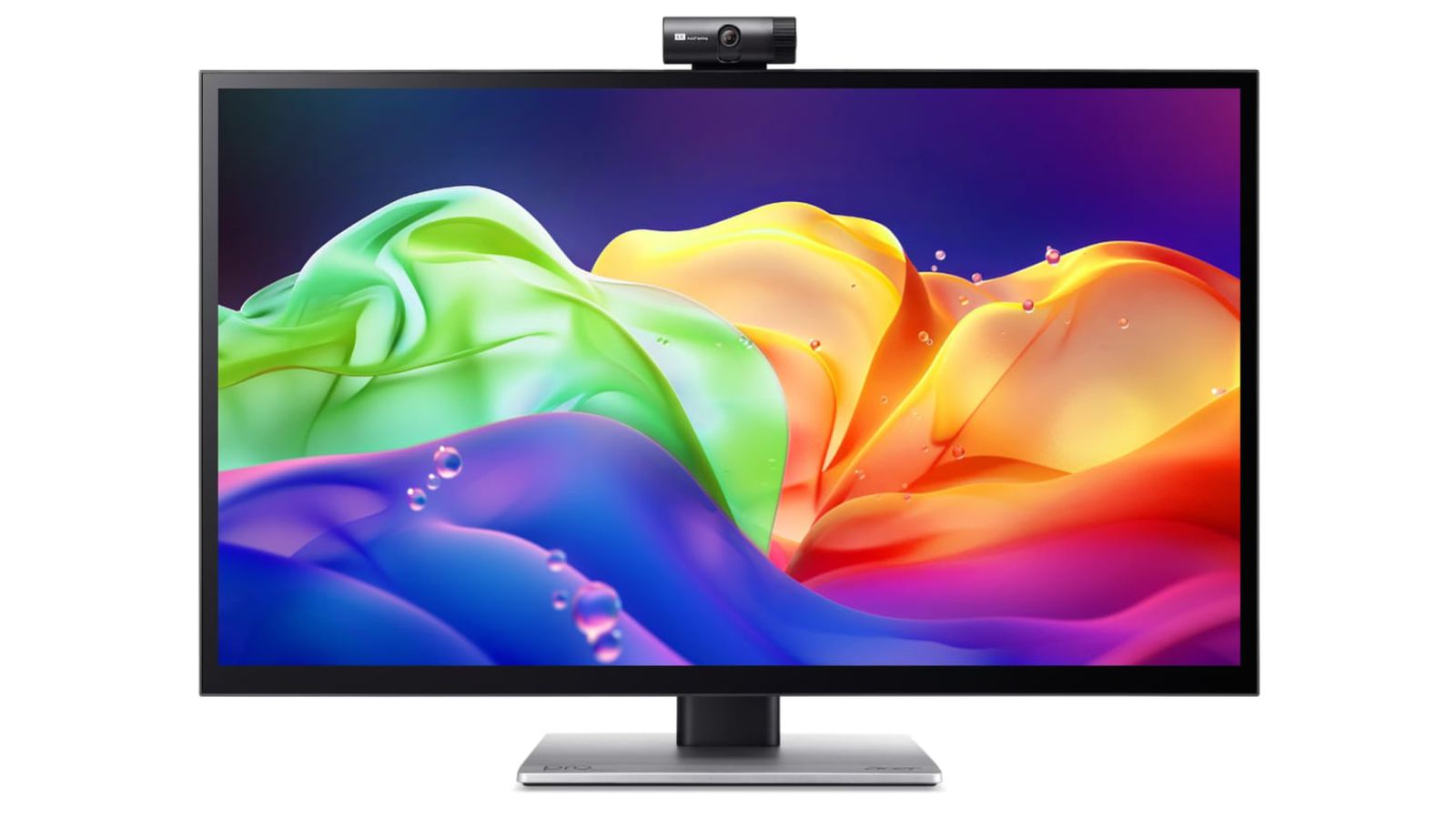
Acer's ProDesigner PE320QXT is a 6K 31.5-inch touchscreen display that works with a Mac using touch drivers, aimed at professional creators; MacRumors says it is not the display to get unless you really want touch integration.
The reviewer calls it thicker than an Apple Studio Display and thicker than any other display tested, likely because of the touch layer, with thick bezels and button-based controls; says it looks like a display from 2006 rather than 2026.
With its stand the ProDesigner weighs about 22 pounds and takes up a lot of desk room.
The display uses an IPS panel at 6016 x 3384 resolution and connects to a Mac via HDMI or USB-C; by default macOS uses a 3008 x 1692 scaled resolution.
At the default resolution text is crisp and sharp, and the 6K density means text and interface elements do not look soft or low-resolution next to a MacBook Pro, avoiding the usual pixel-density mismatch.
The ProDesigner uses a folding stand that switches between an upright orientation and a tilted, low-angle orientation meant for drawing, sketching, and tablet-style work.
Distinct publishers with included, body-backed reporting in this cluster.
1 article · September 4, 2026
Follow any of these and your For You feed starts watching them — no settings page required.
Evidence-backed comparisons of source perspectives and observed adoption signals. Read the methodology
Which Builder, Operator, and Investor concerns the observed source mix emphasized—not a truth score.
Evidence, demonstrated adoption, hype gap, incentives, and confidence are assessed independently, each on its own current evidence. How these are measured.
One desk, hands only
Every fact in this story comes from a single reviewer's desk at MacRumors, tested on a 16-inch M1 Max MacBook Pro and an M4 MacBook Air. That gets you reliable detail on what hands and eyes settle: the heft, the button sequence for brightness, how far the stand folds, where the reflections fall. It stops exactly where instruments would start, and the review says so plainly, with no colorimeter and no reference display available, which leaves Acer's Calman verification and 99 percent gamut figures resting on the company's own specification.
Availability only
A review unit reaching MacRumors is the entire uptake picture. There is no price in this reporting, no shipment or sales figure, and no named studio or professional using one, so any statement about whether creators are putting these on desks would be invented rather than observed.
Acer's spec sheet outruns the panel
The overstatement belongs to Acer, not to the reporting. Of the marketing claims a buyer cannot verify at home, the one checkable by eye is anti-glare, and the reviewer reverses it, calling this among the most reflective displays he has used. MacRumors' bottom line runs against purchase for anyone who does not specifically want touch, which keeps the gap narrow rather than wide.
Vendor supplies the unverifiable half
Acer provides precisely the claims that need lab gear, colour verification and gamut coverage, while everything requiring only a desk comes from a reviewer whose verdict tells most readers to pass and whose sharpest passage concerns a power button placed next to the brightness control. What our coverage never states is how the unit was obtained, which is the one disclosure that would close the question.
Solid on the physical, thin on the optical
Confidence divides along the same seam as the evidence. Weight, port choices, stand travel and the placement of a power button are the kind of thing one careful user gets right first time. Contrast, colour accuracy and HDR behaviour were graded by eye in a single bright office, and no second publisher in our coverage either agrees or objects.