Product1 publisher2 min readPublished
Googlebook OS opens Gmail and Calendar as web wrappers from the Play Store
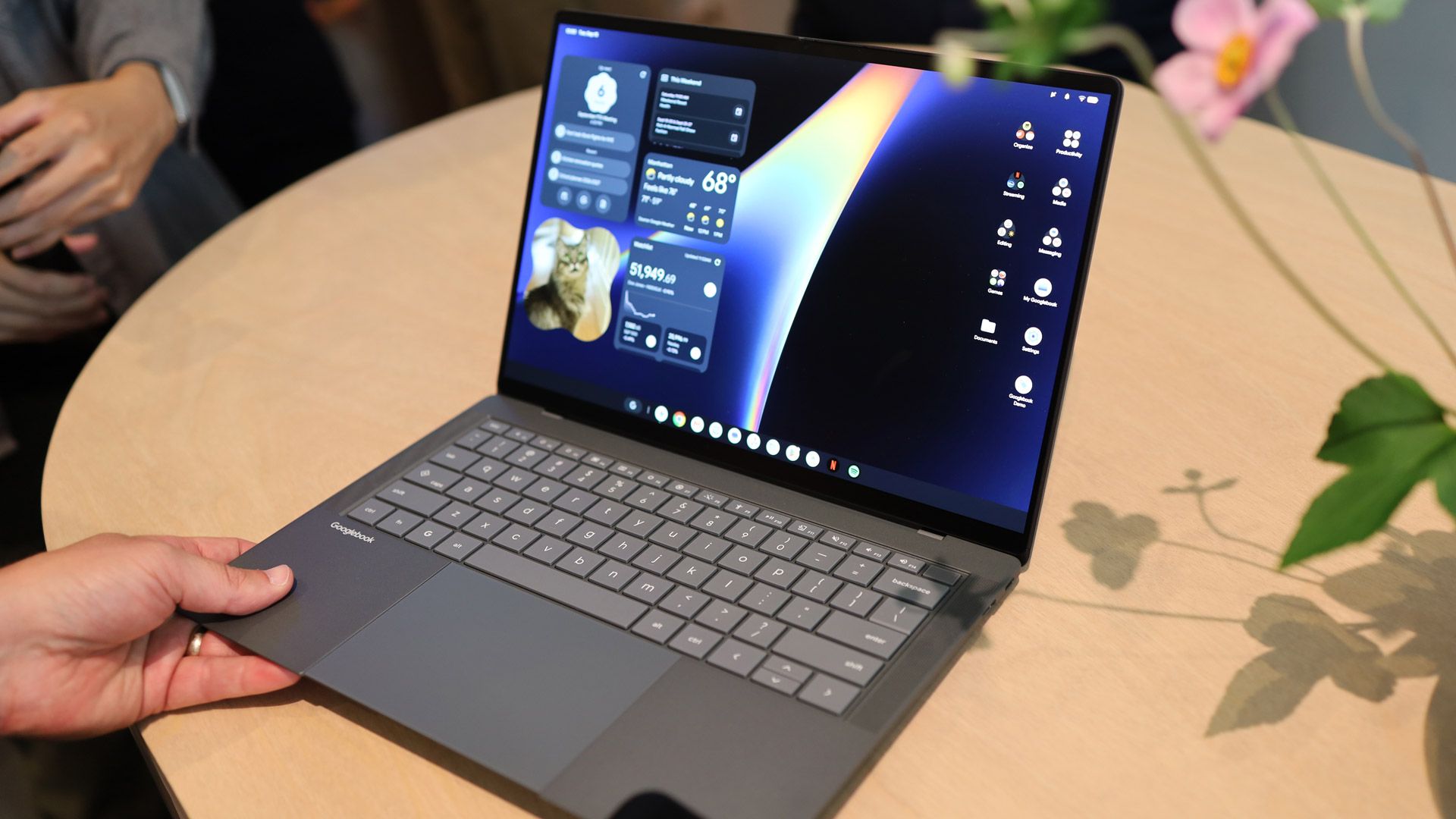
9to5Google's hands-on finds an Android shell down to the Pixel launcher and the desktop widgets, while the first-party apps a new user reaches for first are Trusted Web Activities the Workspace team picked over its own Android build.
The Product Desk · Product desk
What happened
- 9to5Google's hands-on reports that Googlebook OS lets users long-press the desktop to add widgets and drop apps, widgets and files there, neither of which ChromeOS allows.
- Google told the reviewer the web-app reliance was intentional and that it leaves each developer to decide whether an Android app or a web app is the right strategy for their product.
- The on-device model is Gemini Nano, powering screenshot descriptions that unlock search, plus Magic Pointer, Rambler and Create My Widget through what Google calls a hybrid intelligence architecture.
- Rambler is triggered by a new Quick Insert key that occupies the Caps Lock position and opens a floating window with quick access to emoji.
Compiled by The Product DeskSomething wrong?How this is made
Why it matters
- constraint A developer who wants a desktop-class Android layout is on their own on this machine: the apps Google itself put in front of early adopters are web wrappers.
- decision Teams with an internal Android app now have to choose between a Play-distributed wrapper that gets desktop widgets and a native build without them, and Google is leaving that call to each team.
- cost Whoever deploys these will field the first week of support tickets: the Caps Lock position now opens an insert panel, and Chromebook muscle memory is wrong about where notifications live.
- contradiction The same hands-on calls the system "just Android" and says its web-app reliance strongly affirms the ChromeOS lineage, so a single source supports both retraining your admins and retraining your developers.
The first thing a Chromebook user unlearns is the bottom corner. Quick Settings and notifications sit in the top right on a Googlebook, where Android puts them, and 9to5Google's reviewer wrote that he knew immediately to move the cursor there instead. He went in expecting something close to ChromeOS. His first Chromebook was a 2013 Acer C720.
Then he opened Gmail and got the web version. Same with Google Calendar. Google told him both ship as Trusted Web Activities distributed from the Play Store, not PWAs, and that the wrapper format's main advantage is that it can carry homescreen widgets.
Count the first-party surface the piece names and the split is three to six. Gmail, Calendar and Messages come up as web, and Messages still runs the same web-based version the reviewer complained about in his Pixel Tablet review three years ago. Settings, Pixel Weather, Recorder, the app drawer, the Google app and Gemini are Android.
9to5Google wrote that Google approached the Gmail and Workspace teams about whether to give Googlebook adopters the web version or the Android app, and that they "chose the former and ideally did not want to offer the Android app as an available Play Store download." The reviewer called the developer-choice policy a partially missed opportunity and wrote that Google should have enforced a strict first-party mandate to create desktop-class applications.
The payoff for the Android base turns up in the AI features. Google told the reviewer it treats the Gemini and AI work already done for phones as the starting point for the desktop, instead of rebuilding it from scratch for ChromeOS, and Magic Pointer's prompt responses appear in the Android Gemini app.
The hands-on is a desktop tour, and enrolment and admin policy fall outside it, so a ChromeOS fleet owner reading it for migration planning gets the user-facing half only.
For each app your people open every day, write down whether on this machine it is a real Android build, a Play-distributed web wrapper, or a browser tab, then write down whether you or the vendor picks which. For anything in the third bucket, the reviewer reports Chrome with extensions intact and a new vertical tab list.
What to watch
- Whether Google publishes admin tooling for Googlebooks or folds them into the existing Chrome Enterprise console.
- Whether any first-party Google app ships as a desktop-class Android build after launch, starting with Messages.
- Whether large third-party Android developers follow Workspace into Play-distributed web wrappers.