Product1 publisher3 min readPublished
Microsoft moves its mainstream Surface Pro and Surface Laptop to Snapdragon X2 Plus
The 12-inch Surface Pro and 13-inch Surface Laptop now run Qualcomm's midrange X2 Plus. The hands-on account of the launch spends its time on a redesigned haptic mouse and an AI whiteboard app that ships preinstalled.
The Product Desk · Product desk
What happened
- Microsoft showed refreshed Surface Pro and Surface Laptop models at the Snapdragon Summit in Maui, both running Qualcomm's Snapdragon X2 Plus, a part ZDNET places in the midrange of Qualcomm's offerings.
- Microsoft added haptics to the Slim Pen and to a redesigned ambidextrous Surface Mouse, and opened the haptics API so third-party developers can use it in their own apps.
- Ink Canvas, a whiteboard app with Copilot features, ships out of the box on the Surface Pro 12 and Surface Laptop 13 and reaches the Microsoft App Store next month for all other Windows users.
Compiled by The Product DeskSomething wrong?How this is made
Why it matters
- exposure Two volume SKUs now arrive with an AI whiteboard already installed, so the support desk answers for handwriting conversion and sketch-to-image on machines people bought for travel weight.
- constraint Teams that standardise on the new mouse give up the per-app button profiles some users built on other vendors' hardware, and the review reports no way to recover them.
- capability In-house Windows developers can now build haptic feedback into line-of-business apps. Only the users holding the new pen or mouse will feel it; everyone else gets the same app without it.
- decision With a midrange Qualcomm part in the mainstream configurations, application compatibility is now a question for whoever signs off the standard build.
Press the action button on the new Surface Mouse and Copilot runs. Microsoft set that default, and ZDNET's reviewer noted it with "because of course it is!" [12][13]
The button can be reassigned. According to the same hands-on, the reassignment is global: reprogramming "can't be dialed down app to app, as other mice can" [14]. ZDNET named Logitech as the vendor that does let a programmable button carry app-specific actions [15].
The user who notices is the one who had one button doing one job in a meeting app and another in a drawing app. That user now picks a single action for everything.
Both new machines run Qualcomm's Snapdragon X2 Plus, which ZDNET puts in the midrange of Qualcomm's offerings, and Microsoft showed them at the Snapdragon Summit in Maui [1][2][3]. The hands-on covers the build, the keyboard, the hinge, the pen, the mouse and the app. It leaves out application compatibility testing, prices and ship dates [20].
So the case that a midrange Qualcomm part in the volume SKUs turns Windows on Qualcomm into the default fleet buy rests on where the chip now sits in the product line. The compatibility evidence has to come from a pilot run against your own software list.
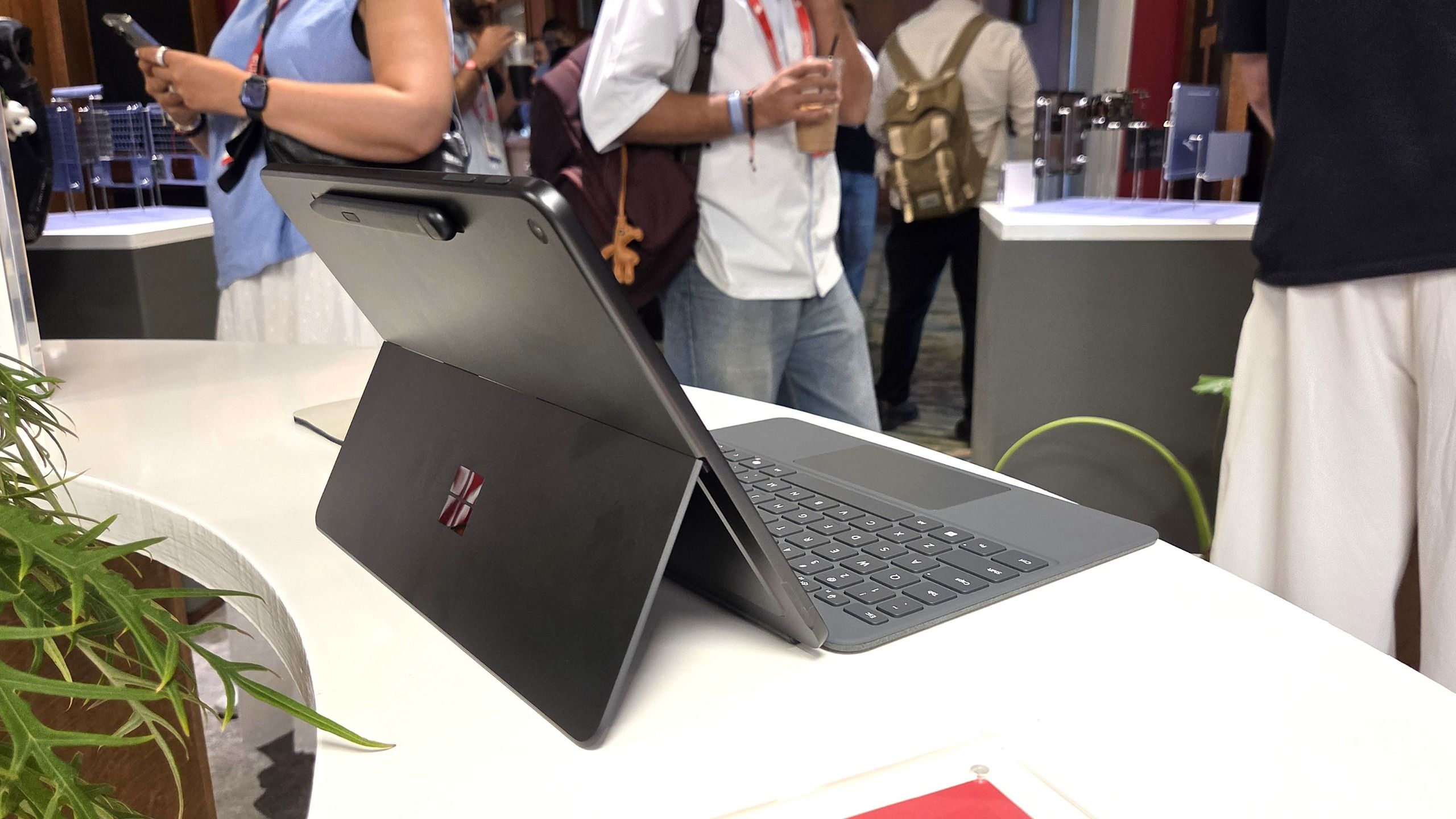
The weight is the part a user will feel on day one. The 12-inch Surface Pro is 1.5 pounds bare and about two pounds with the keyboard cover [6], so the cover is roughly half a pound, about a quarter of what goes into the bag [7]. That cover lies flat on the table, unlike the larger model from this past summer, and ZDNET's reviewer said the keys still have good pitch and travel [5].
Ink Canvas is the other default in the box. ZDNET describes a borderless canvas where you type, handwrite and import photos, with AI actions that convert handwriting to text, retype a handwritten list with formatting, turn a sketch into an image, and edit an image when you write the change next to it [16][17]. None of it fires on its own. You select the content with the Slim Pen or the selection tool, then invoke Copilot [18].
The purchase splits into two columns before it reaches the standard catalogue. One column is what the user feels: 1.5 pounds, the 165-degree hinge for pen work, the flat keyboard cover [6][9][5]. The other is what the administrator inherits: a button pointed at Copilot with no per-app override, a whiteboard app already installed, and a haptics API that in-house developers can now target [12][14][19][11].
That leaves one check. The handful of people who would actually carry the 12-inch Pro are the ones whose current mouse configuration matters. If any of them runs app-specific button profiles, the new mouse loses a capability the machine does not, and the answer is to leave them on the old mouse. Ink Canvas goes into the Microsoft App Store next month for all other Windows users, so it can be tried on hardware already in the building before either SKU is approved [19].
What to watch
- Whether Microsoft adds per-application profiles to the Surface Mouse configuration, or leaves the action button global.
- The Ink Canvas release in the Microsoft App Store next month, and whether the Copilot actions behave the same on non-Snapdragon Windows machines.
- Any published application compatibility guidance for the X2 Plus Surfaces, plus the prices and ship dates the hands-on coverage did not include.