Product1 publisher3 min readPublished
Google set 16GB of RAM as the floor on all five launch Googlebooks
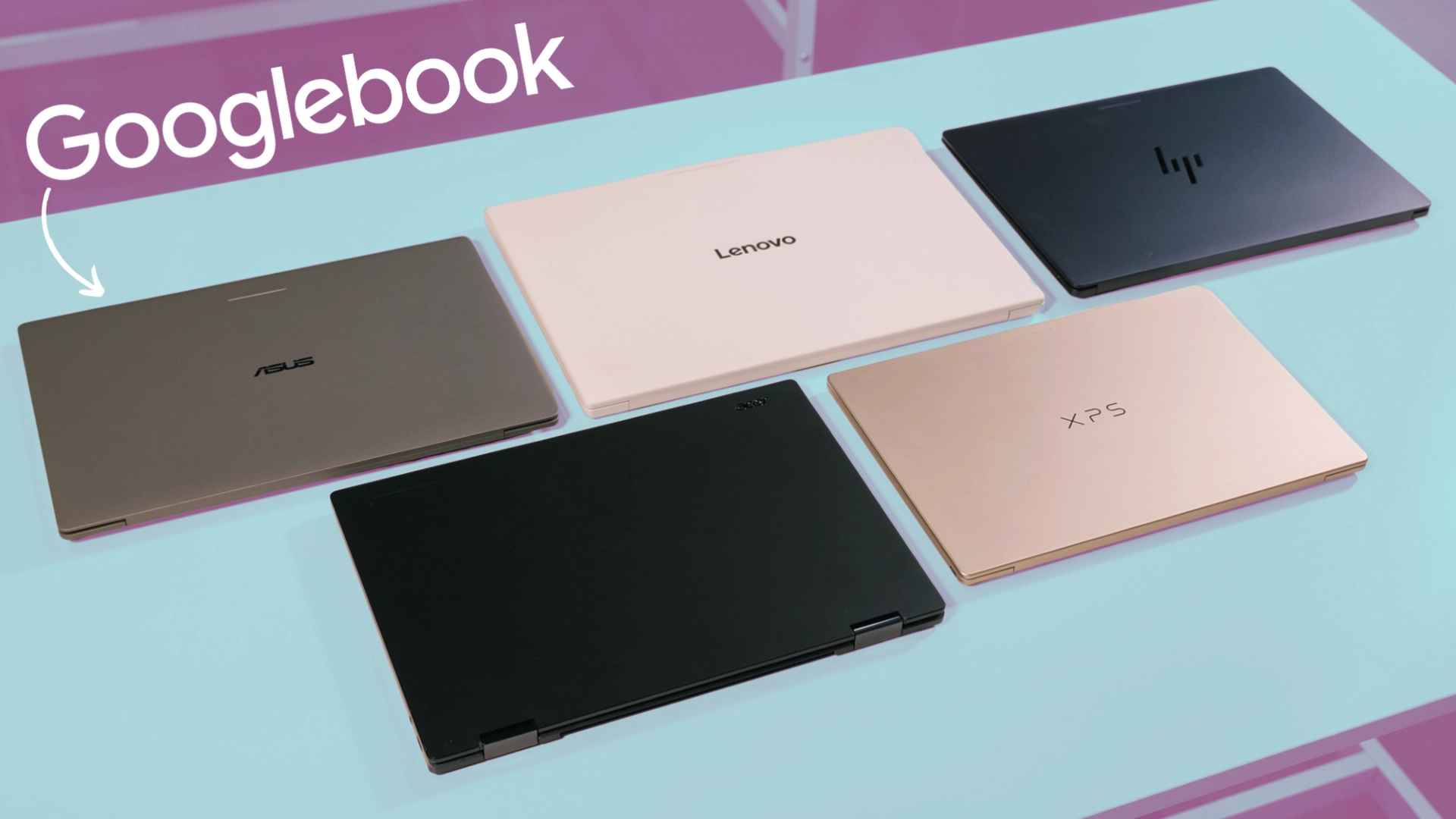
Chrome Unboxed handled all five launch machines from Acer, ASUS, Dell, HP and Lenovo at Google's New York preview. The cheapest is Acer's $899 convertible and the ASUS is $1,299, with premium materials throughout.
The Product Desk · Product desk
What happened
- Google unveiled Googlebook OS with five flagship laptops built alongside Acer, ASUS, Dell, HP and Lenovo, a week after showing them to press behind closed doors in New York.
- Chrome Unboxed reports a shared baseline across all five: 16GB of RAM minimum, 256GB to 512GB or more of SSD storage, and optional tiers reaching 32GB of RAM.
- Acer's Googlebook 14 is the cheapest of the group at $899 and the only 360-degree convertible, running Intel's Core Ultra 3 with a 14-inch 2.8K OLED touch display.
- Every launch machine has a high-resolution touchscreen rated at 500 nits or brighter, and four of the five use 2.8K to 3K OLED panels.
- Each laptop carries an NPU rated above 45 TOPS for local Gemini work on either Intel or Qualcomm silicon, with battery claims of 14 hours of video and 16 hours of browsing.
Compiled by The Product DeskSomething wrong?How this is made
Why it matters
- cost A hardware line that sold on unit price now asks for a premium-laptop budget, and the person defending the per-seat number upstairs is often the same person who picked ChromeOS to keep it low.
- constraint There is no low-spec launch configuration for the kiosk or the loaner cart, so those seats stay on older hardware or move to something that is not a Googlebook.
- decision IT groups that have treated ChromeOS as a managed browser now have to decide whether a differently architected OS goes back into the evaluation queue this cycle or waits a generation.
- exposure Fingerprint sensors on every unit and an on-device model running Gemini locally mean biometric enrolment policy and local AI review arrive with the same purchase order as the laptops.
Chrome Unboxed's reviewers picked up all five machines, typed on the keyboards and tested the trackpads across a couple of hours in the demo room [4]. A buyer's two hours go elsewhere: seat count, spend per seat, and whether the existing image and admin policy survive a change of operating system. The Glowbar on the lid animates at boot, sweeps to show battery level and pulses when you talk to Gemini [14], and none of that comes up in a procurement review.
Every launch model starts at 16GB of RAM with 256GB to 512GB or more of SSD, and optional tiers reach 32GB [6]. All five are built from machined aluminium, magnesium alloy or carbon fibre, and all of them have a fingerprint sensor [10][11]. Two prices appear in this first look: $899 for Acer's convertible and $1,299 for the ASUS [12][13]. The gap between those two is $400, about 45 percent [15]. One of the five uses a panel that is not OLED [16].
Chrome Unboxed wrote that the launch is "not some minor, iterative Chromebook refresh" [17], and on hardware the spec sheet supports that: across fifteen years of ChromeOS, the publication says, buyers almost always had to accept a trade-off somewhere [5]. The capability bolted to the new baseline is local AI, an NPU rated above 45 TOPS on both the Intel and the Qualcomm builds, sized to run Gemini features on the device without spinning the fans [9].
No usage data appears in the first look, so the buyer supplies that part. Pull your own ChromeOS reporting and count what share of sessions is a browser tab and a video call. If that share is most of them, the 45 TOPS is capability your users will not reach for on purpose. You pay for it inside the unit price either way.
The architectural change and the Android integration were covered in a separate Chrome Unboxed post [18]. This piece is about the hardware, and it does not get into fleet management, licensing or migration from existing Chromebooks.
The data you already hold answers it: whether a refresh is due in the next two quarters, and whether the work on your current fleet needs 16GB and a local NPU or whether it needs a browser that stays patched. Refresh due and local compute genuinely needed: evaluate now, and budget for a premium unit price you will have to defend line by line. Refresh due and the work is browser-shaped: buy the cheapest supported thing you can still get and let the first wave of Googlebook buyers find the rough edges, accepting that you are one cycle behind on whatever the Android layer turns out to be good for. If no refresh is due this year, the decision goes in the diary.
What to watch
- Prices and configurations for the Dell, HP and Lenovo launch machines, and whether any of them comes in under Acer's entry price.
- Whether Google or its partners add an education or enterprise SKU below the 16GB of RAM baseline, or keep selling older ChromeOS hardware for those seats.
- Management detail for Googlebook OS: what an admin console change looks like for a team already running a ChromeOS fleet.