Product1 publisher3 min readPublished
Seven of the eight apps in Google's Continue On pitch are Google's own
A Digital Trends walkthrough of Googlebook OS runs through nine features, and four of them do nothing unless an Android phone is paired to the laptop. The only third-party app named for handoff is BandLab, a music app.
The Product Desk · Product desk
What happened
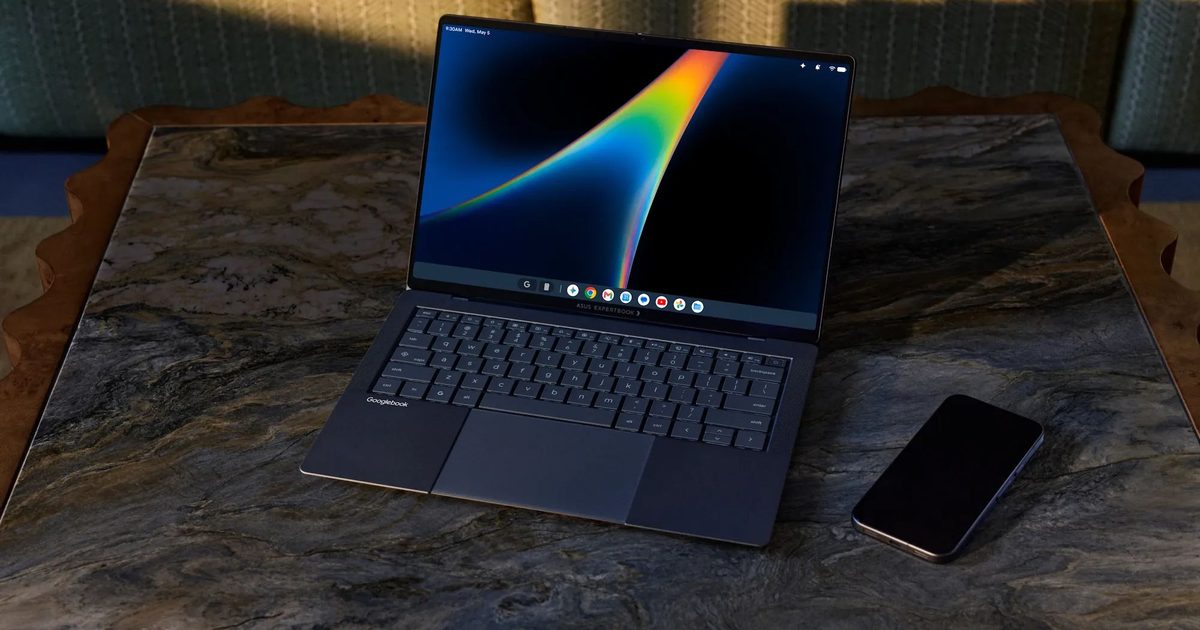
- Googlebook OS puts Android together with ChromeOS desktop foundations, so Google Play apps run in a desktop session alongside full Chrome and Linux support.
- Setting up a new Googlebook can pull saved passwords, Wi-Fi networks, messages and other settings across from the user's Android phone instead of signing into everything again.
- Continue On resumes a phone-started project from the Googlebook taskbar, and the apps named for it are Photos, Calendar, Docs, Slides, Sheets, Chrome, Gmail and the music app BandLab.
- The laptop can stream and control a phone app inside a desktop window, a feature the Digital Trends writer compares to using iPhone Mirroring on a MacBook.
- Rambler, the Gemini dictation feature that strips filler words out of speech, arrived first on the Pixel 11 and is now part of the Googlebook experience.
Compiled by The Product DeskSomething wrong?How this is made
Why it matters
- decision A Googlebook order now carries a phone decision with it: four of the nine features pay off only for people who also carry an Android phone.
- exposure Any team whose work sits in a non-Google app owns the handoff testing itself, because one third-party app has been named as working with Continue On.
- constraint A pilot that puts laptops on desks without paired phones can exercise only five of the nine features, so it cannot settle whether the continuity half is worth paying for.
- capability For an all-Google, all-Android setup, fetching a file off the phone loses the mail-it-to-yourself step that most people currently use.
The example the Digital Trends writer reaches for is food delivery. Work stays open on the laptop, the delivery app lives on the phone, and Googlebook streams that phone app into a desktop window so the order goes in without picking the handset up [5]. The same column describes pulling a photo off the phone through the Googlebook Files app, with no step where you mail it to yourself first [6].
Sort the nine features the column walks through by whether they do anything with the phone left in a bag. Four do not. Setup transfer of passwords, Wi-Fi and messages, Continue On, phone app streaming and phone file browsing all want a paired Android phone [2][3][5][6]. Five stand alone: Play Store apps in a desktop session, full Chrome, Linux, Rambler and Create My Widget [1][7][8]. Four of nine, on the column's own list [1].
The Continue On app list splits the same way. Photos, Calendar, Docs, Slides, Sheets, Chrome and Gmail are Google's [4]. BandLab, a music app, is the single example from anybody else [3]. That leaves seven of the eight as Google's own [2].
Handoff between Docs on a phone and Docs on a laptop is a problem Google can fix at both ends. Handoff in the app your team sits in all day is a problem your team finds in week two. One third-party app has been named [2].
The writer allowed that "comparing the two ecosystems directly isn't entirely fair" [10], having spent the column describing how much he relies on the features that make a MacBook and an iPhone work together [12]. He also wrote: "I don't really want to think about which device has the photo I need or where I left that Chrome tab open" [9]. For Photos and Chrome that holds, because Google supplies both ends [4].
Rambler is the clearest sign of where this design starts. It cleans filler words out of dictation, and it arrived on the Pixel 11 before it arrived on a laptop [7]. What it costs, when it ships and who builds it are all outside the column [11].
Two tests sort the feature list for a real fleet: whether a feature survives the user's phone being an iPhone, and whether the app in question is one Google ships. Features that pass both are what you can promise on Monday, and for most desk workers that is Chrome, Linux and Play Store apps in a window [1]. Features that fail both belong in a pilot with paired Android handsets in daily use, and the cost of moving them into the first column is standardising the phone estate alongside the laptops. Where users carry iPhones, four of the nine features have nothing to pair with [1].
What to watch
- Whether Google publishes third-party apps supporting Continue On beyond BandLab, and how many are apps companies actually deploy.
- Whether the pairing features work when the phone is on a different Google account or inside a managed work profile, which the column does not cover.
- Pricing, ship dates and the hardware makers, none of which appear in this account.