Product1 publisher3 min readPublished
Thunderbolt hands a graphics card four PCIe lanes where a desktop slot gives sixteen
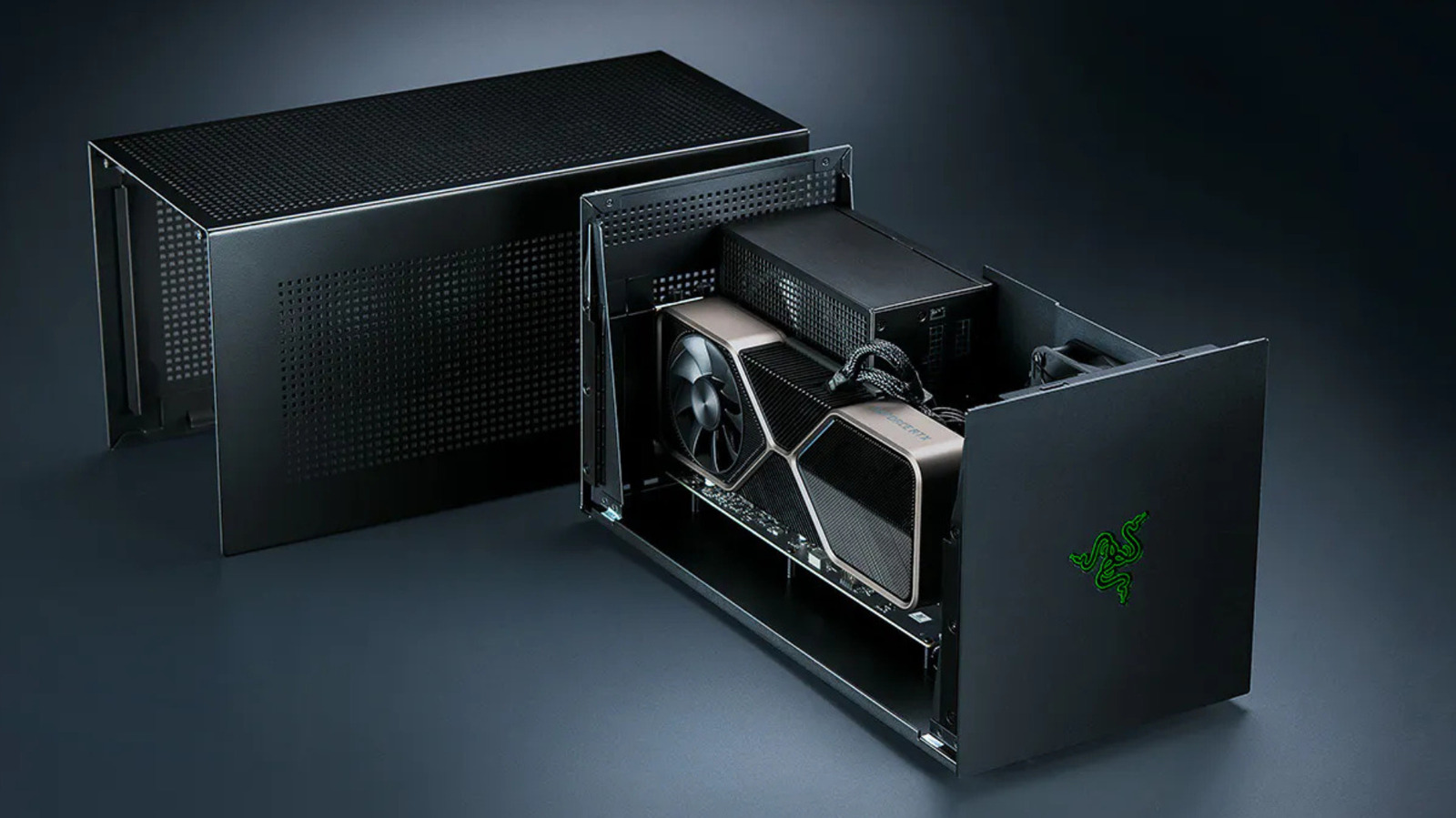
External graphics boxes are back in stock and back in the buying conversation for teams dodging memory prices. The case for one narrows to a travelling laptop with a Thunderbolt 5 port and a mid-range card in the enclosure.
The Product Desk · Product desk
What happened
- Razer revived its eGPU line with a Thunderbolt 5 dock in July 2025, and Framework is building an eGPU kit for its Laptop 16, putting external graphics hardware back in stock after several thin years.
- Notebookcheck's 2021 test of an RTX 2080 Ti in an enclosure found it seven to 32 percent behind the same class of card in a desktop.
- PC Gamer measured an RTX 4070 Ti running around 25 percent slower over Thunderbolt than over OCuLink in many 1440p tests, with lower 1 percent lows and more stuttering.
- Apple dropped eGPU support in 2020 and has not restored graphics acceleration, and the TinyGPU extension it approved this year runs external AMD and Nvidia cards for AI workloads with no display output.
Compiled by The Product DeskSomething wrong?How this is made
Why it matters
- cost There are four things to buy: enclosure, power supply, I/O dock and card. The team that deferred a laptop refresh to dodge memory prices pays for all four up front.
- constraint The cable's ceiling is fixed, so faster silicon loses a larger share of its speed to it, and a card bought later runs into the same limit in the same box. The useful ceiling sits at mid-range, and buying past it wastes money.
- decision Fleet composition settles this purchase before finance sees it. A Thunderbolt 4 host holds the link at the lower ceiling no matter which card goes in the box, so the port audit comes first.
- capability Laptop 16 owners can now trade single-cable docking for eight PCIe lanes, a choice no Thunderbolt enclosure offers them.
Start with the machine on the desk: a laptop that has to last another year because replacing it means paying current memory prices [2]. An external card works at all because most of what it does never crosses the cable. Textures and shaders load into VRAM once and stay there, and the link only gets busy when a game pulls in new assets or sends finished frames back to the display [3]. Render to the laptop's own screen and it is slower, because the finished frames come back down the same cable [9].
The faster the card, the more performance the cable costs. PC Gamer's jump from a 4070 Ti to a 4090 produced smaller gains over Thunderbolt and OCuLink than the same jump did on desktop PCIe [11]. Engadget draws the conclusion for buyers: a mid-range GPU is the more sensible choice for an enclosure [12].
Razer's Core X V2 is $350 and it is the box only, with no power supply, USB ports or Ethernet, so the buyer adds an ATX PSU, and the missing I/O now sells separately as a Thunderbolt 5 dock starting at $390 for the Mercury version [13][14]. Engadget's own summary line is "Just buy a basic gaming PC instead." [19] Engadget does not price that rig [20]. Box plus dock is $740 before the PSU and before the graphics card [3].
The ceiling is set by lanes. Thunderbolt 4 carries 40 Gbps, and Intel's spec allots PCIe data 32 Gbps of it, an eighth of what a desktop PCIe 4.0 x16 slot provides [7]. Eight times 32 puts that slot at 256 Gbps [1]. Thunderbolt 5 doubles the link to 80 Gbps, and the Core X V2 wires the card through PCIe 4.0 x4, nominally 64 Gbps, which is four lanes where a desktop offers sixteen [13]. Even in that best case the card sees about a quarter of the desktop slot's bandwidth [2]. Thunderbolt 5 laptops are rare outside premium gaming machines and mobile workstations, so most hosts hold the link at 40 Gbps [15].
Framework skips Thunderbolt by running bare PCIe over the cable. Its OCuLink Dev Kit exposes eight lanes on the Laptop 16, rated up to 128 Gbps, twice the nominal figure of Razer's four-lane link [16][4]. OCuLink does not power the host, and you give up the one-cable docking a Thunderbolt box gives you [16].
Check the port before the budget. Without Thunderbolt 5 or an OCuLink connector on the host, the card is talking through a 40 Gbps link and the rest of the decision is already settled [15]. Where the port exists, the next question is mobility. A machine that sits on a desk five days a week does not need $740 of accessories plus a PSU, when a budget rig with a full sixteen-lane slot has no cable penalty at all [3][20]. The enclosure is the right buy in a narrow case: a laptop that actually travels, a mid-range card in the box, and an external 4K monitor, which is the setup where Notebookcheck's deficit fell to single digits [8][12].
What to watch
- Whether Framework ships the OCuLink Dev Kit past dev-kit status, and whether any other laptop maker exposes PCIe lanes directly.
- Whether Thunderbolt 5 reaches laptops below premium gaming machines and mobile workstations, since that port decides the ceiling for most fleets.
- Whether tinygrad's TinyGPU ever gains display output, which is what Apple Silicon gaming would need.